Upgrading the lab's carbon capture test rig with new sample holders and a 3D-printed cooling funnel.
Overview
The Lubner Group at BU works on direct air capture (DAC), pulling CO₂ directly out of the air. A big part of that work is testing sorbents (materials that capture CO₂), such as metal-organic frameworks (MOFs), which are highly porous. The lab tests them on the Dynamic Gas System (DGS), a benchtop rig that cycles a sample through capturing and releasing CO₂ while measuring how much it takes in.
I didn’t build the DGS, but since joining the lab in May 2026 I’ve been working on making it faster and more flexible: new sample holders, a faster cooling system, a test of a faster-heating tube, and tests of larger tubes. I also built the DAC Vacuum Chamber (see its own project page), which can replace the DGS’s tube furnace for samples that need a true vacuum or don’t fit in the tube.
The System
The DGS is made up of:
Two Alicat MC mass flow controllers (up to 500 SCCM, standard cubic centimeters per minute): one for CO₂ and one for nitrogen, joined by a tee.
A gas humidifier to add water vapor to the gas stream.
A tube furnace: a 200 mm long copper tube (1/4” OD) wrapped in nichrome heating wire, with a layer of Kapton tape between the wire and the tube and another layer over the wire. The copper tube sits inside a glass tube with a 46 mm bore.
A LI-COR LI-850 gas analyzer that measures CO₂ and water vapor at the outlet.
A BK Precision 9129B programmable power supply that powers the heater and the cooling fan.
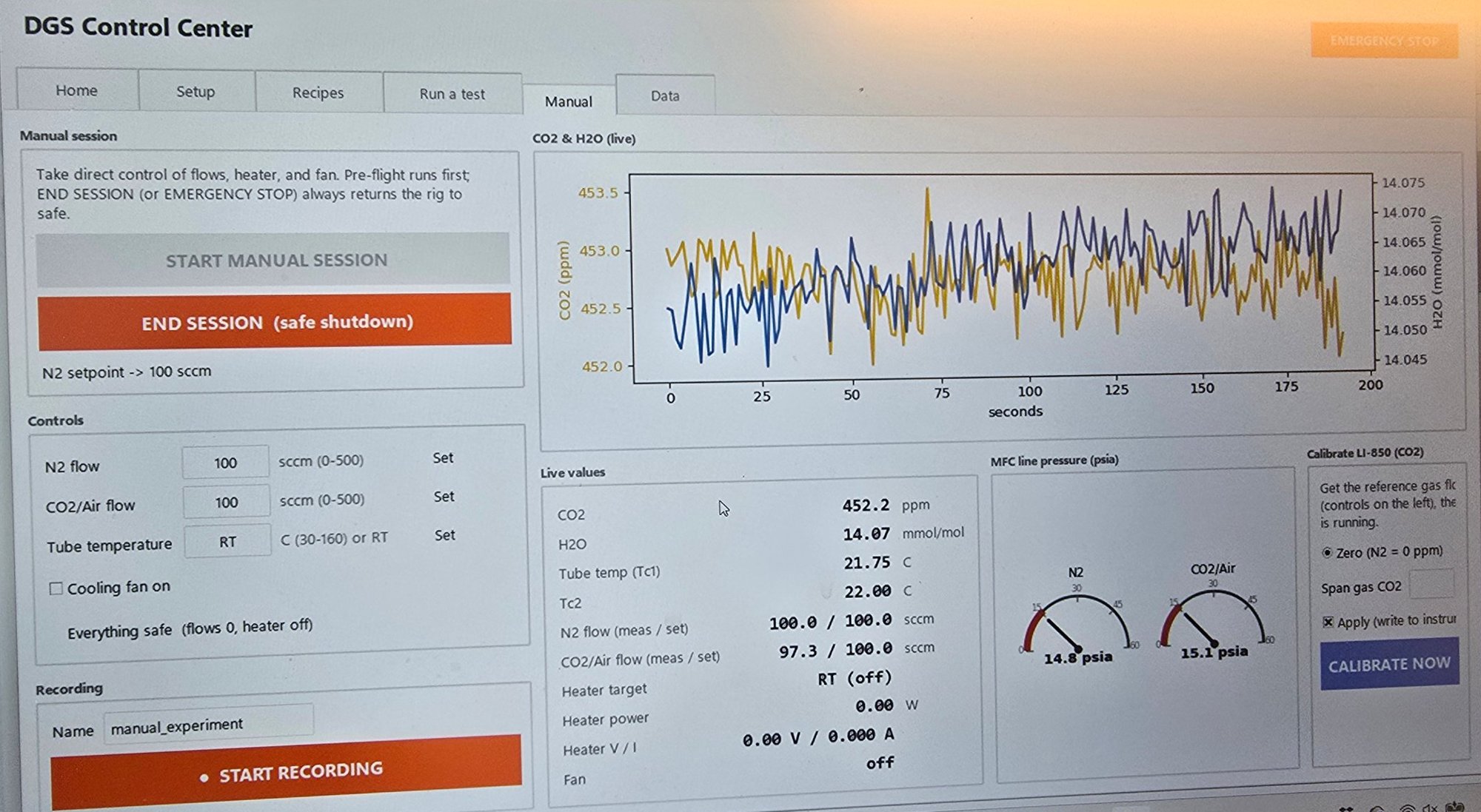
A laptop running the DGS Control Center, the lab’s custom software that controls everything and logs the data.
Samples sit in small aluminum holders inside the copper tube. Flexible tubing connects one end of the tube to the flow controllers and the other end to the gas analyzer.
Recipes
The software runs “recipes,” sequences of steps that each set the gas, flow rate, duration, temperature, and fan. One cycle might look like this:
Purge: 200 SCCM N₂, 5 min, room temperature (RT), fan off. Flushes the system with pure nitrogen.
Calibrate: 100 SCCM N₂, 2 min, RT, fan off. Calibrates the CO₂ analyzer.
Adsorb: 200 SCCM CO₂, 10 min, RT, fan off. The sorbent captures CO₂.
Purge: 200 SCCM N₂, 5 min, RT, fan off. Clears leftover CO₂ from the lines, so the next step only measures what the sorbent releases.
Desorb: 200 SCCM N₂, 5 min, 160°C, fan off. Heat drives the captured CO₂ back out of the sorbent.
Cool: 200 SCCM N₂, 5 min, RT, fan on. Cools the system back down.
The tube can’t pull a vacuum, so desorption happens under flowing nitrogen instead. Pure nitrogen keeps the CO₂ concentration around the sample near zero, which drives CO₂ out of the sorbent the way a vacuum would. Throughout the recipe, the software logs the tube temperature and the CO₂ and water vapor concentrations, which is how the lab measures how much CO₂ a sample captured and released. Long-duration tests repeat cycles like this many times.
The DGS Control Center, which runs the recipes and logs the data.
New Sample Holders
The original sample holders were thin aluminum sheets bent into a rough U shape. The ends were open, so the gas flow could blow MOF powder out of the holder and into the tube, and the holders could flip over inside the tube.
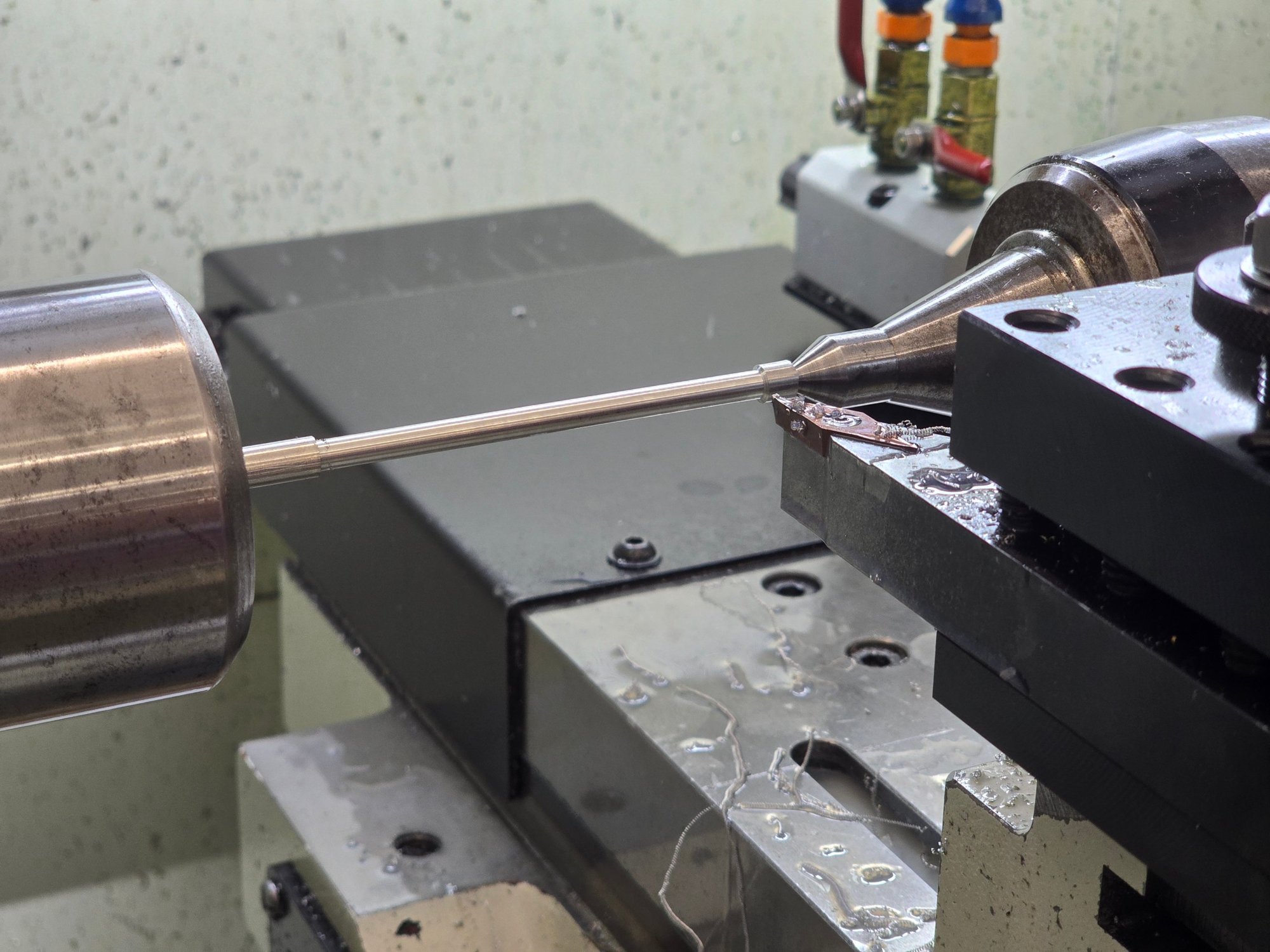
I made two new holders from aluminum rod on the lathe and manual mill. The copper tube has a 0.183” inner diameter, so I turned the 1/4” rod down to about 0.180”, leaving roughly 0.0015” of clearance per side. Since the rod was 4–5” long and only 1/4” thick, I center-drilled the end and supported it with a live center, to keep the thin rod from deflecting away from the cutting tool.
Turning the rod for the sample holders, with the end supported by a live center.
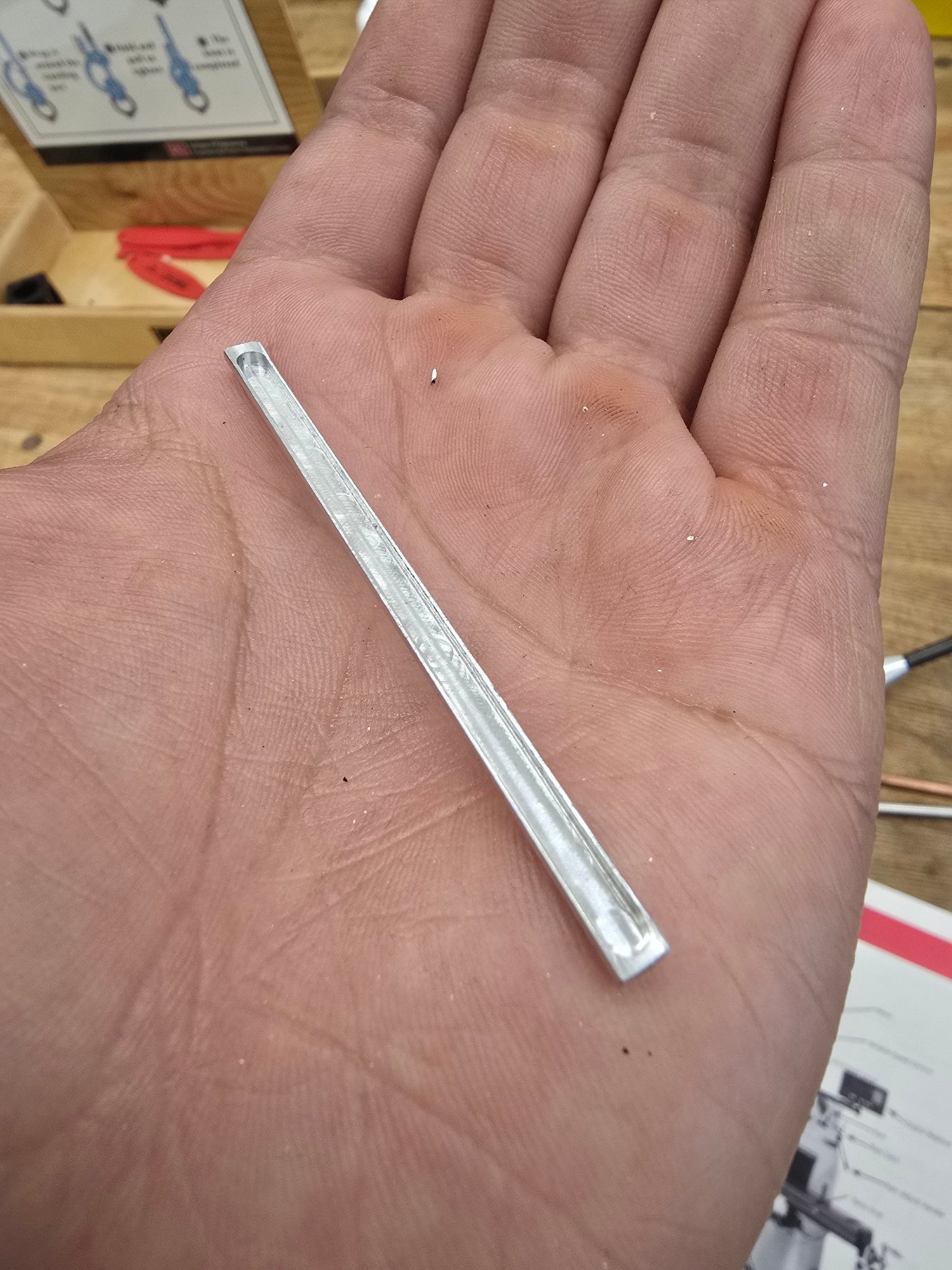
After turning, I cut off the ends and moved to the manual mill, where I milled away the top half of the rod and then cut a channel down the middle for the sample. Unlike the old holders, the new ones don’t flip inside the tube and don’t let powder blow out.
One of the two finished sample holders.
Faster Cooling
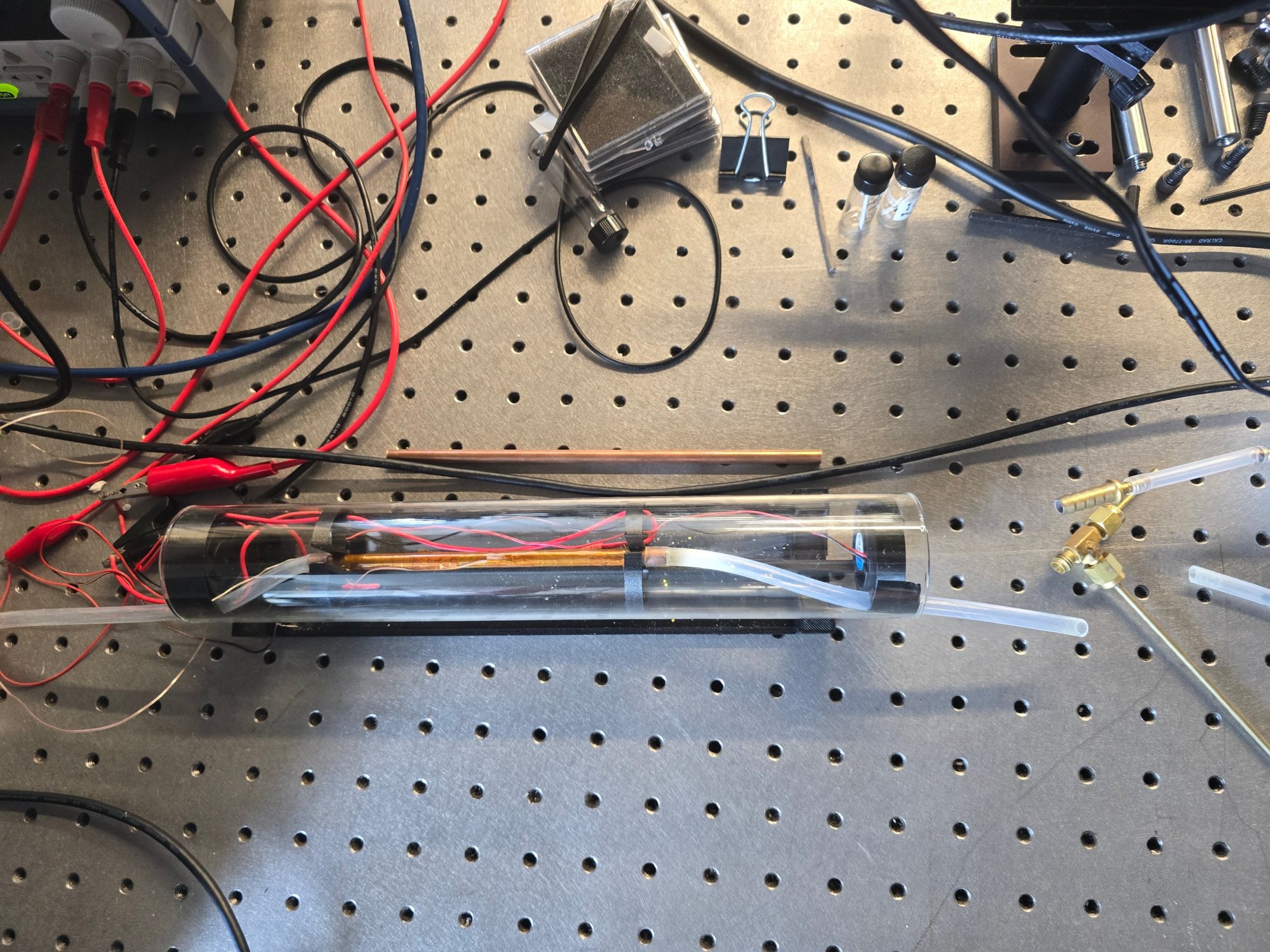
The tube was originally cooled by two very small fans, about half a watt each, mounted inside the glass tube at its ends. After desorbing at 160°C, it took a full 19 minutes for the tube to cool back to room temperature (25°C). That time is added to every cycle, which adds up quickly over a long test.
The original setup: the tube furnace inside the glass tube, with the two small fans at its ends.
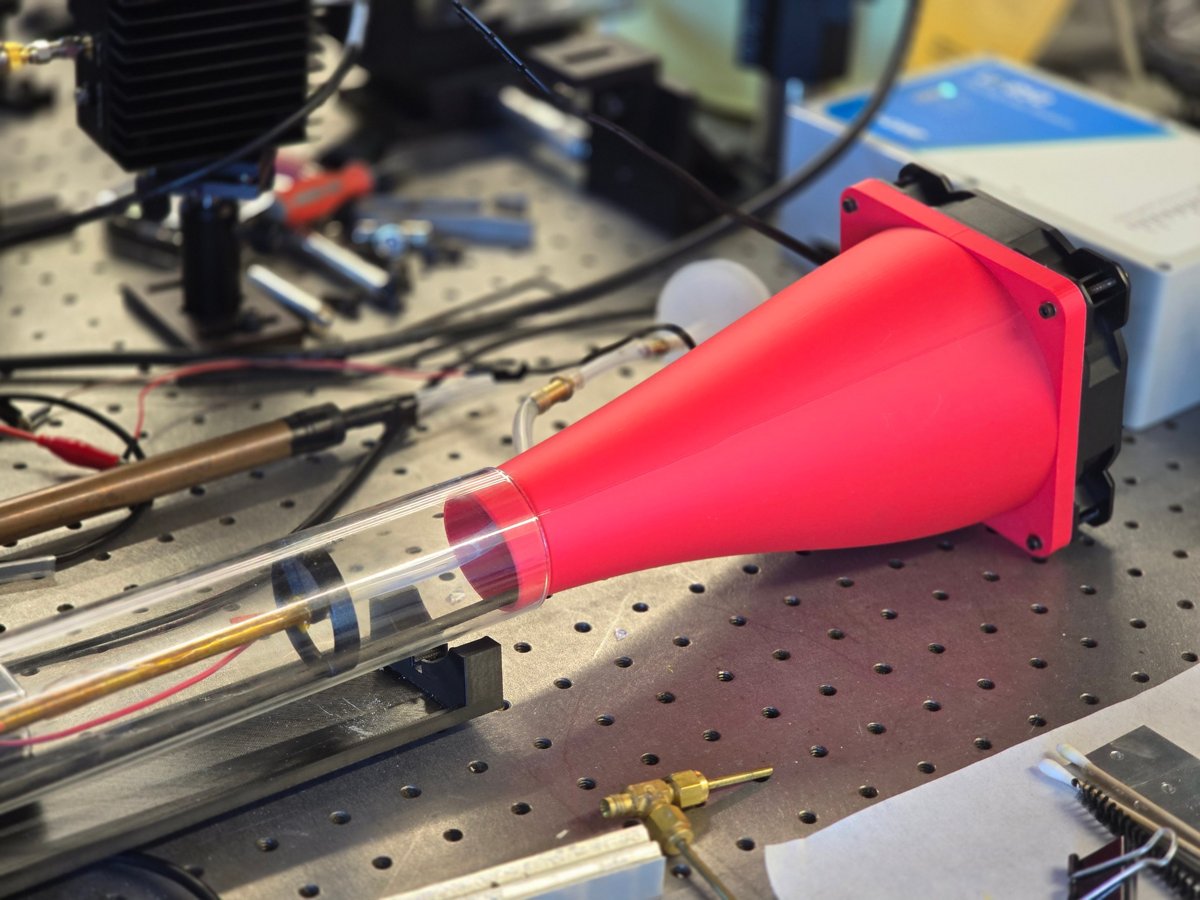
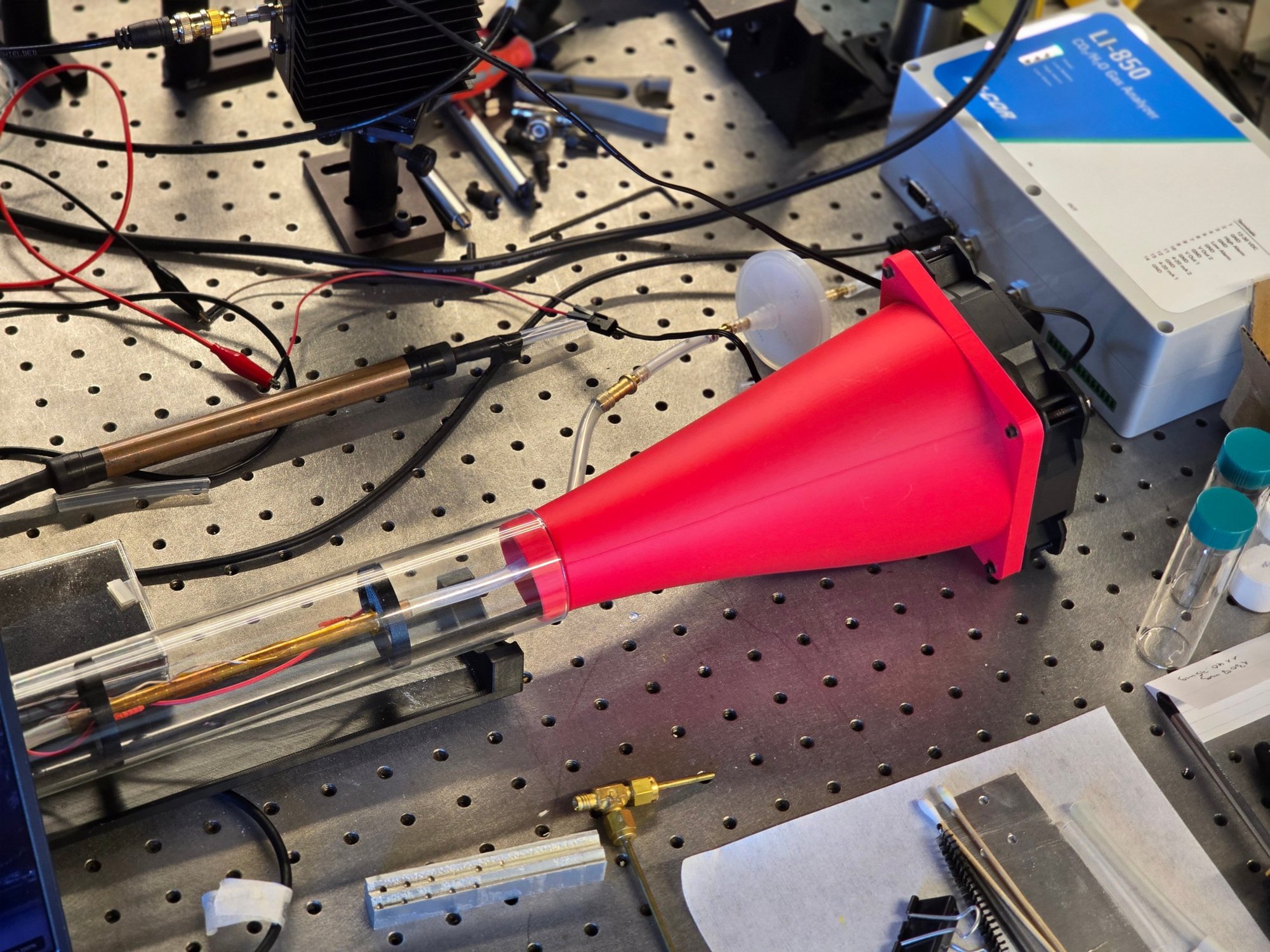
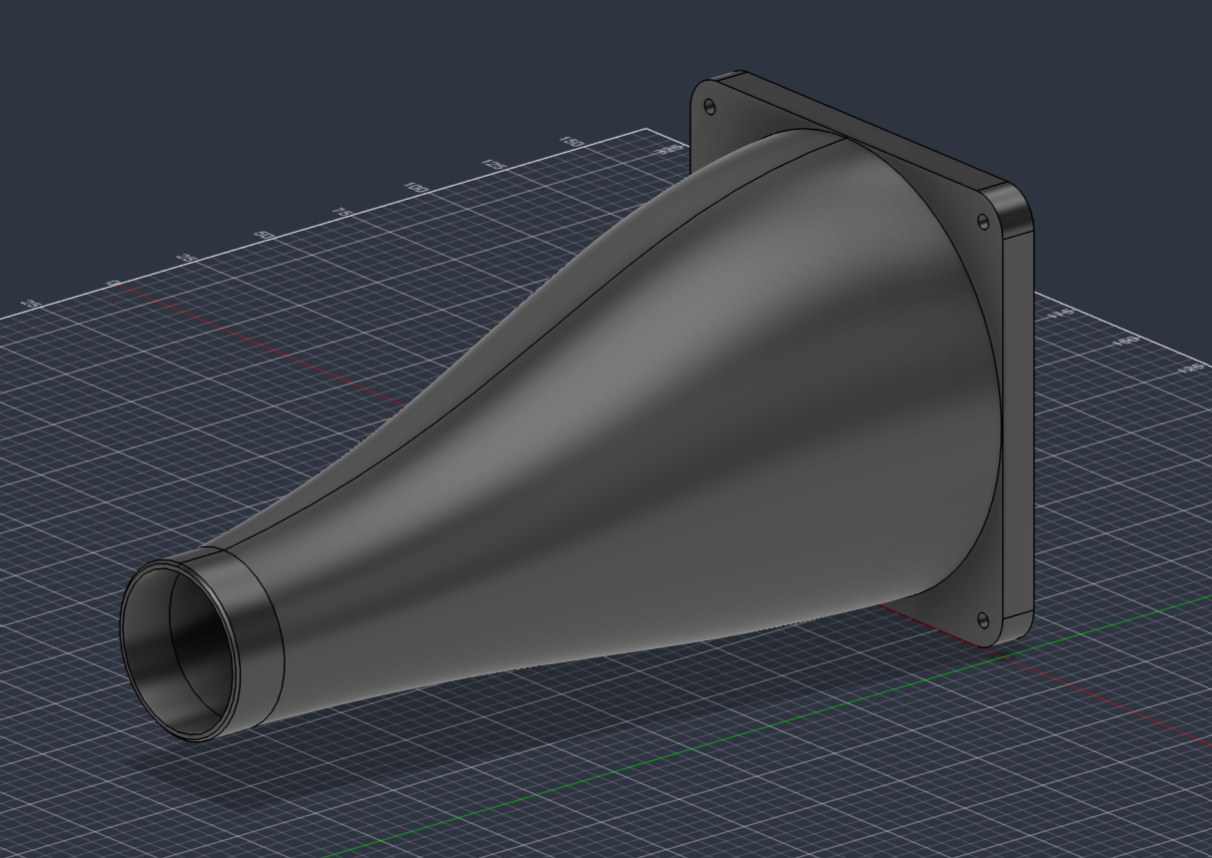
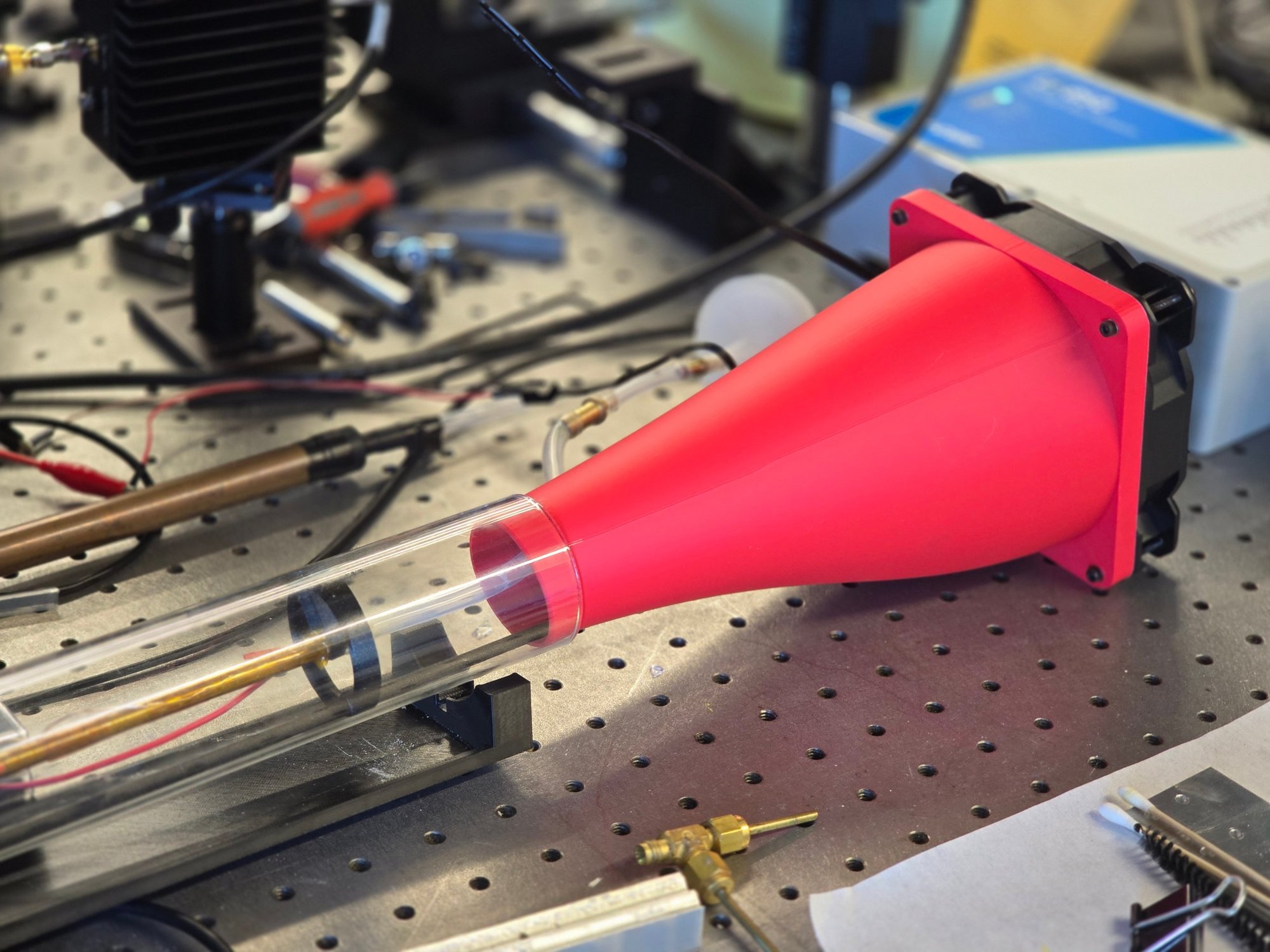
I designed and 3D printed (in PLA) an air funnel to replace them. A 120 mm PC fan bolts to one end, and the funnel channels its air into the glass tube, around the copper tube. The outlet that holds the glass tube is offset below the fan’s center, with the two axes parallel, so the glass tube sits closer to the table. If the tube slips off the funnel, which would usually only happen while someone is removing it, it has a shorter fall and is less likely to break. The PLA doesn’t get too warm while the tube is heating.
CAD model of the air funnel. The outlet for the glass tube is offset below the fan's center.
The PhD student who runs the lab and I drilled a hole in the side of the funnel so the tubing to the gas analyzer could pass through. Moving the fans out of the glass tube cleaned up its inside and made loading and removing samples much easier. The new fan runs at the same voltage as the old ones, so it connected to the existing power supply with no other changes.
The printed air funnel, with the 120 mm fan bolted to the back and the glass tube seated in the outlet.
With the new funnel and fan, the tube now cools from 160°C to 35°C in about 4 minutes. With the old fans, the same cooldown took about 10 minutes, so the new setup cools about 2.5 times faster.
Testing a Faster-Heating Tube
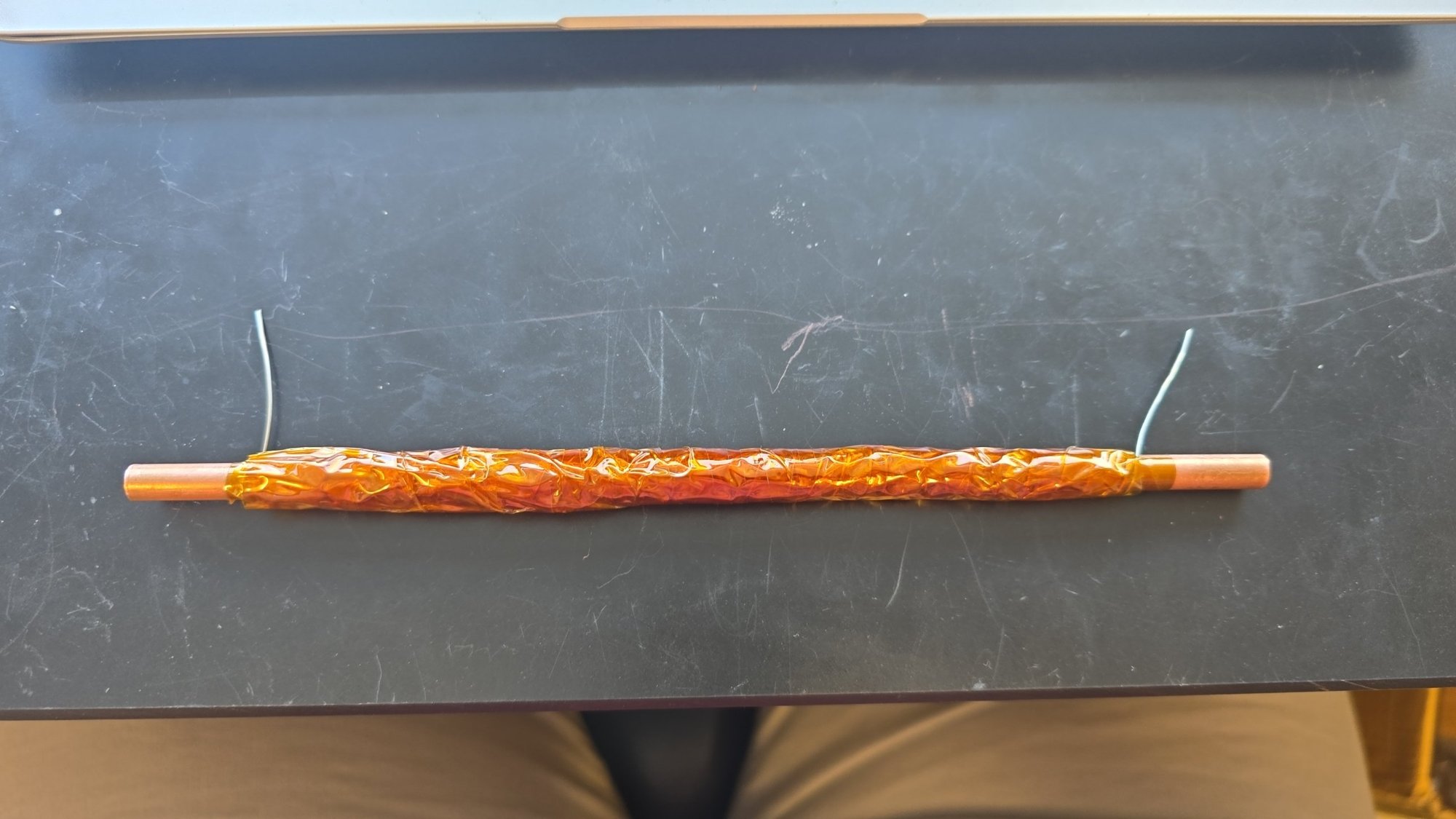
To cut cycle time further, I also assembled a second tube furnace, the same size as the original but wound with thicker nichrome wire (22 AWG instead of the original 38 AWG) so it would heat faster. It’s built the same way as before, with a layer of Kapton tape on the copper tube, then the nichrome wire, then another layer of Kapton tape over the wire. I added a thermocouple at the middle of the tube, under the tape and between the windings rather than touching the wire, so it reads the tube’s temperature instead of the heater’s.
The new tube furnace with 22 AWG nichrome wire under the Kapton tape.
Connected to our power supply, the new tube reached 90°C in under a minute, about twice as fast as the original tube, which takes about 2 minutes. But heating speed turned out not to be the bottleneck. The MOFs need time at temperature to release all of their adsorbed water vapor (CO₂ comes off more quickly, but both have to be fully desorbed), so a faster ramp doesn’t shorten the desorb step by much. Cooling is different since every minute spent cooling adds directly to every cycle. The thicker wire leaves a larger gap between the two layers of Kapton tape, and the trapped air acts as an insulating layer, so the new tube would be slower to cool. Since cooling rate matters more than heating rate for this system, we decided to stay with the original, thinner wire.
Testing Larger Tubes
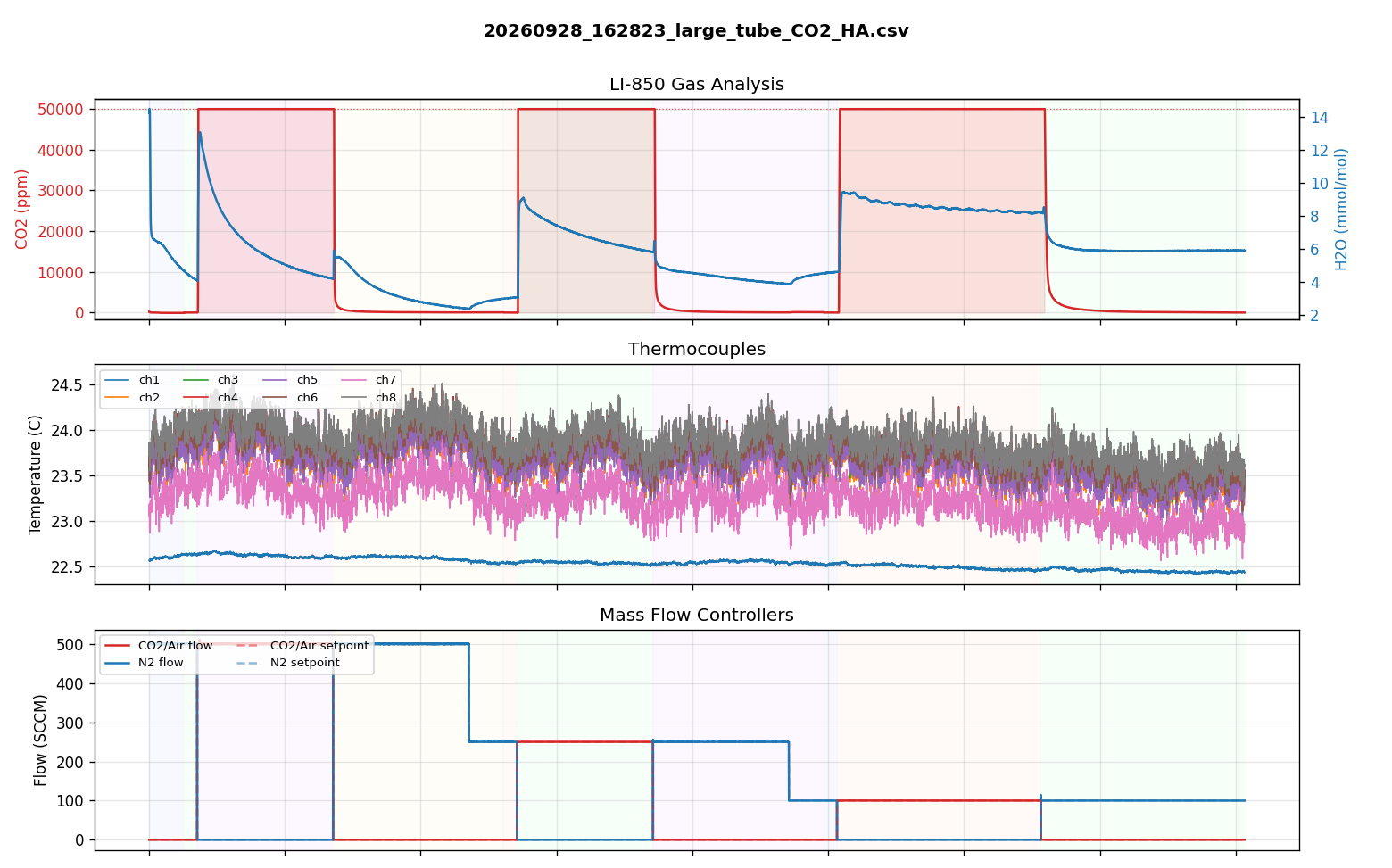
The lab may want to test more or larger samples in the future, so we also tested two tubes larger than the current 1/4” tube: a mid-size steel tube and a 5/8” OD copper tube, both 200 mm long like the original. In each tube, we switched the flow between CO₂ and nitrogen at flow rates from 100 to 500 SCCM and watched how quickly the analyzer reading moved between 0 and 50,000 ppm CO₂. In every case, the CO₂ reading jumped up almost instantly, even in the largest tube at the lowest flow rate (100 SCCM). Switching back to nitrogen, most of the CO₂ cleared right away, followed by a short tail as the last of it flushed out. So a bigger tube won’t meaningfully slow down gas switching; heating and cooling are what set the cycle time.
One gas-switching run in the 5/8" copper tube, stepping down from 500 to 250 to 100 SCCM. Top: CO₂ (red) and water vapor (blue) at the LI-850. Middle: thermocouple readings (the tube stayed at room temperature). Bottom: the flow controllers.
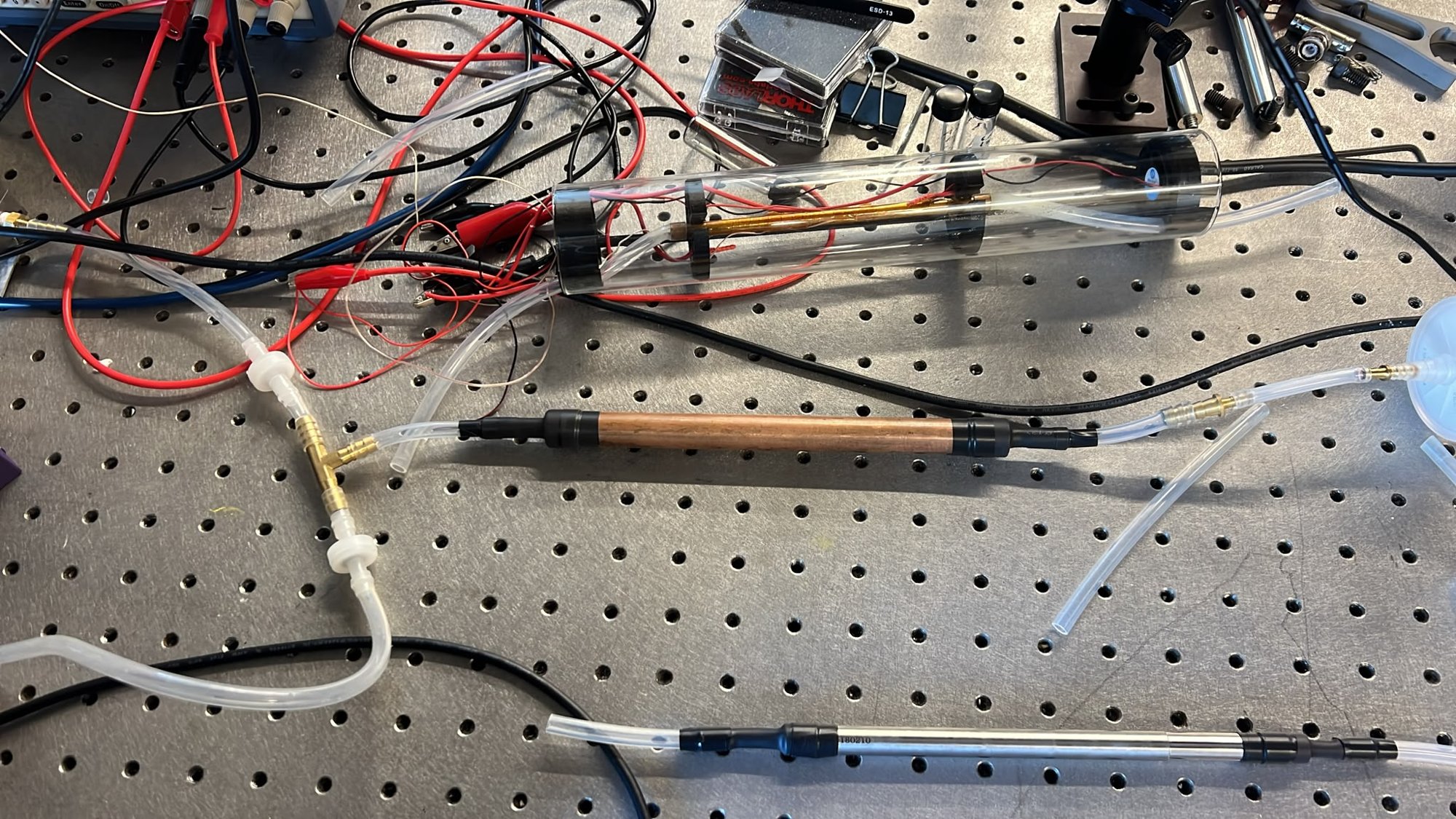
We ruled out the steel tube even though its gas switching was just as fast. Steel doesn’t transfer heat nearly as well as copper, and this tube has a weld seam running along the inside. For now, the lab is still using the 1/4” copper tube, but the DGS will be able to take different tube sizes in the future.
The tubes tested: the current 1/4" copper tube inside the glass tube (top), the 5/8" copper tube (middle), and the steel tube (bottom).
Next Steps
There are still more improvements planned for the DGS, and I’ll add them here as they’re finished.
May 2026 - Present
Lubner Group, Boston University · Laboratory Assistant
DAC Vacuum Chamber
A vacuum chamber built to run direct air capture (DAC) material through 5,000+ heating and cooling cycles.
Overview
The DAC Vacuum Chamber is a small vacuum chamber for testing metal-organic frameworks (MOFs), porous materials that capture CO₂ for direct air capture (DAC). It’s built for a 5,000-plus cycle degradation test, where the MOF adsorbs CO₂ and water vapor at ambient temperature (under 40°C), then desorbs under heat (60°C+) and vacuum (~1 mbar). Running that cycle thousands of times is how the lab finds out how the material’s performance holds up over its working life.
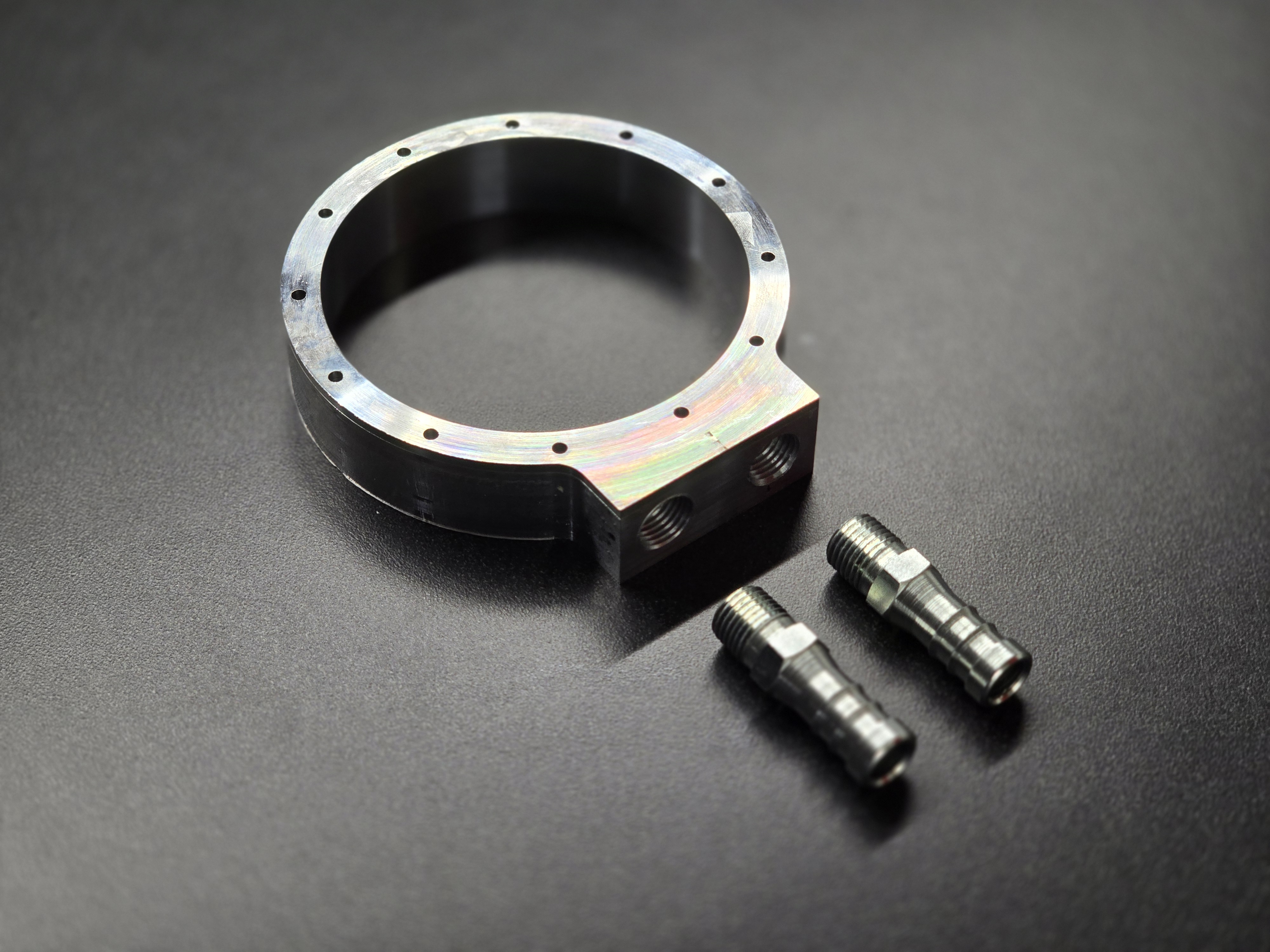
The lab tests these materials on the Dynamic Gas System (DGS), a benchtop rig made up of mass flow controllers, a humidifier, a CO₂ analyzer, and control software. Normally, samples sit in the DGS’s tube furnace, a heated 1/4” copper tube. The tube furnace has two limitations the chamber was built to address. First, it can’t pull a vacuum, so it instead flows pure nitrogen to simulate a CO₂-free environment. Second, MOFs are typically grown on a substrate like glass fiber or aluminum foam. Glass fiber is thin enough to fit in the 1/4” copper tube, but a piece of aluminum foam, roughly 2” x 2” x 1”, is not. When the chamber is used in place of the tube furnace, it becomes part of the DGS.
Design
I built the vacuum chamber to address both limitations, with the long-duration degradation tests in mind: everything about it is meant to reduce cycle time.
Port placement: The chamber’s two 1/8” NPT ports sit at opposite corners of the square design, so gas sweeps through the full volume as it cycles instead of leaving stagnant pockets that don’t get purged.
Thin bottom: The bottom of the chamber is only 1/16” thick, to maximize heating speed from a resistive heater attached underneath. We’re also considering a Peltier element to heat and cool the MOFs, to cut cycle time further.
Minimal material: The chamber uses as little material as possible to minimize thermal mass, so it heats up and cools down faster.
Building the Chamber
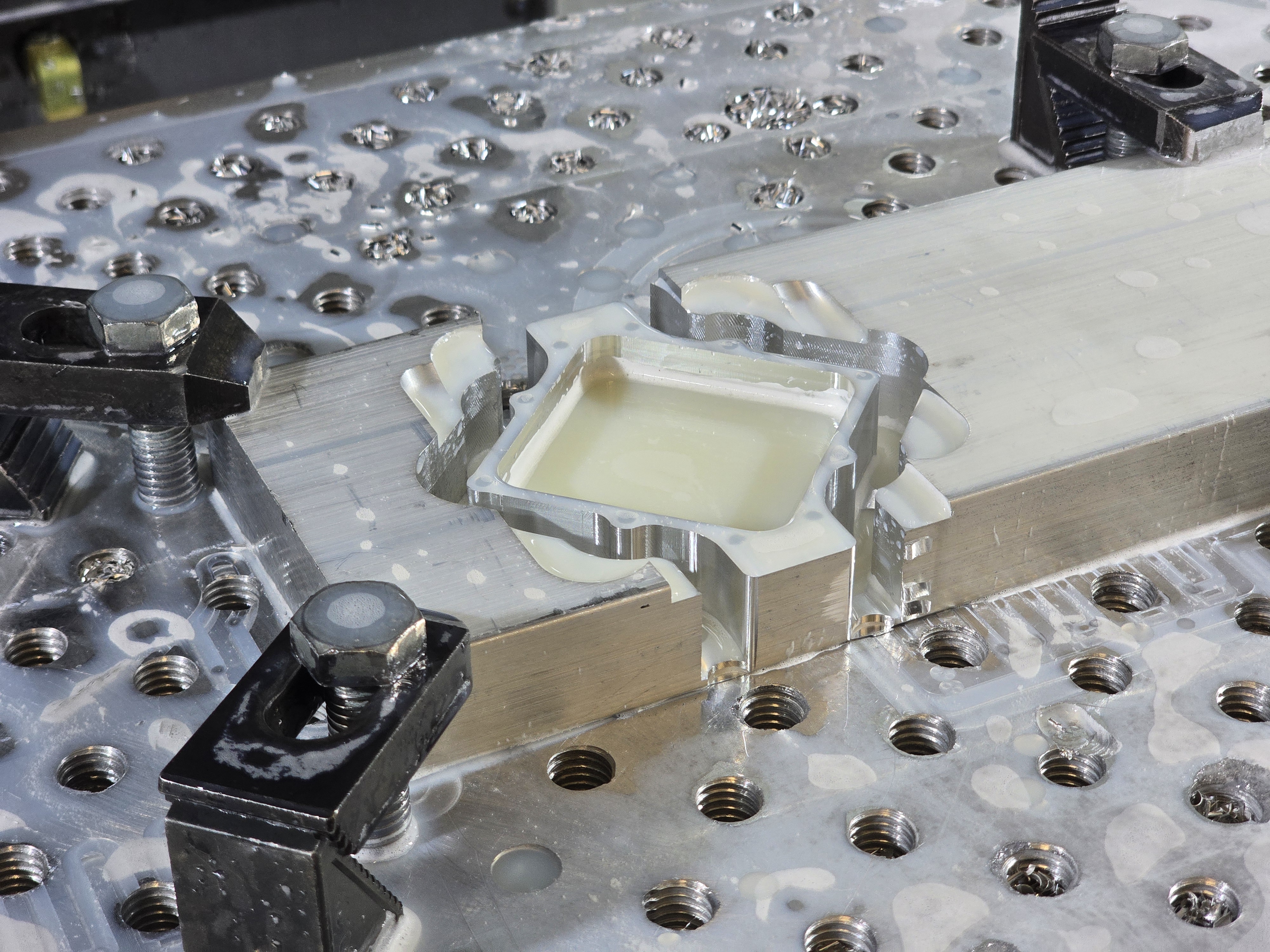
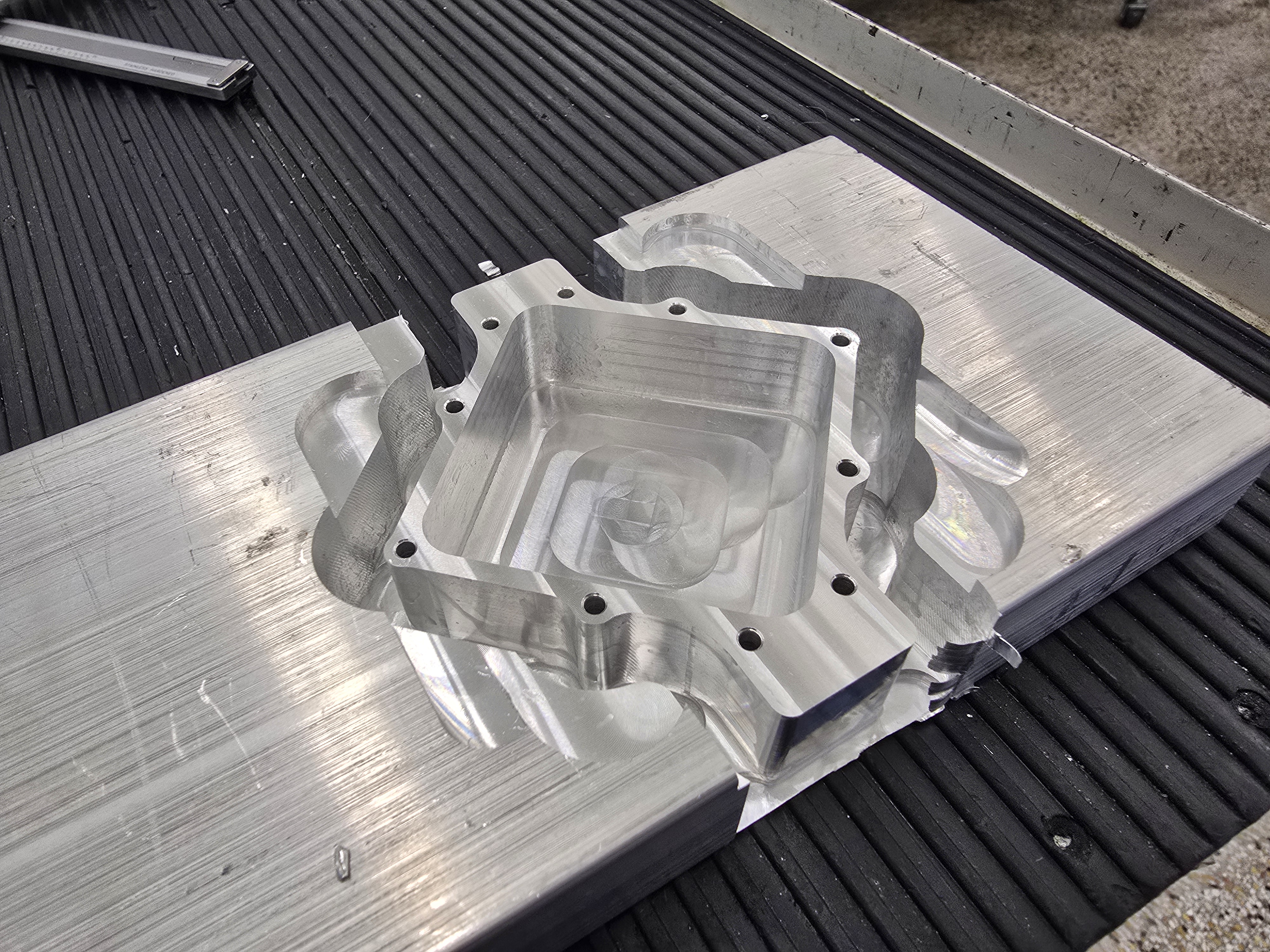
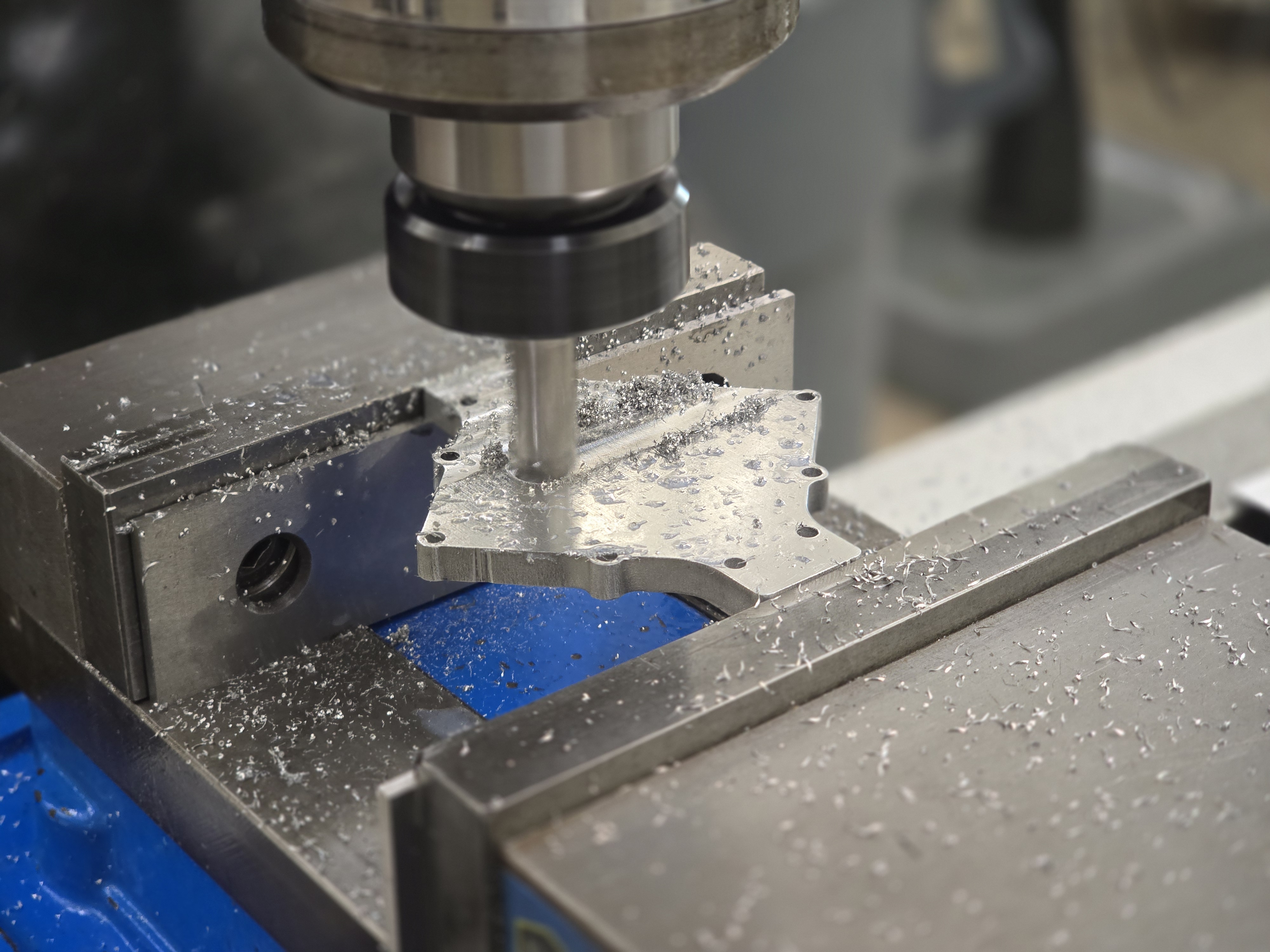
I modeled the chamber in Fusion 360 and used Fusion CAM to set it up for the CNC mill. I machined it on a Haas VF2 with a flat steel bed, securing a 4” x 1” x 16” aluminum bar with step clamps. The chamber needed tabs left uncut to hold it in place in the stock, since it wouldn’t otherwise have stayed put during machining.
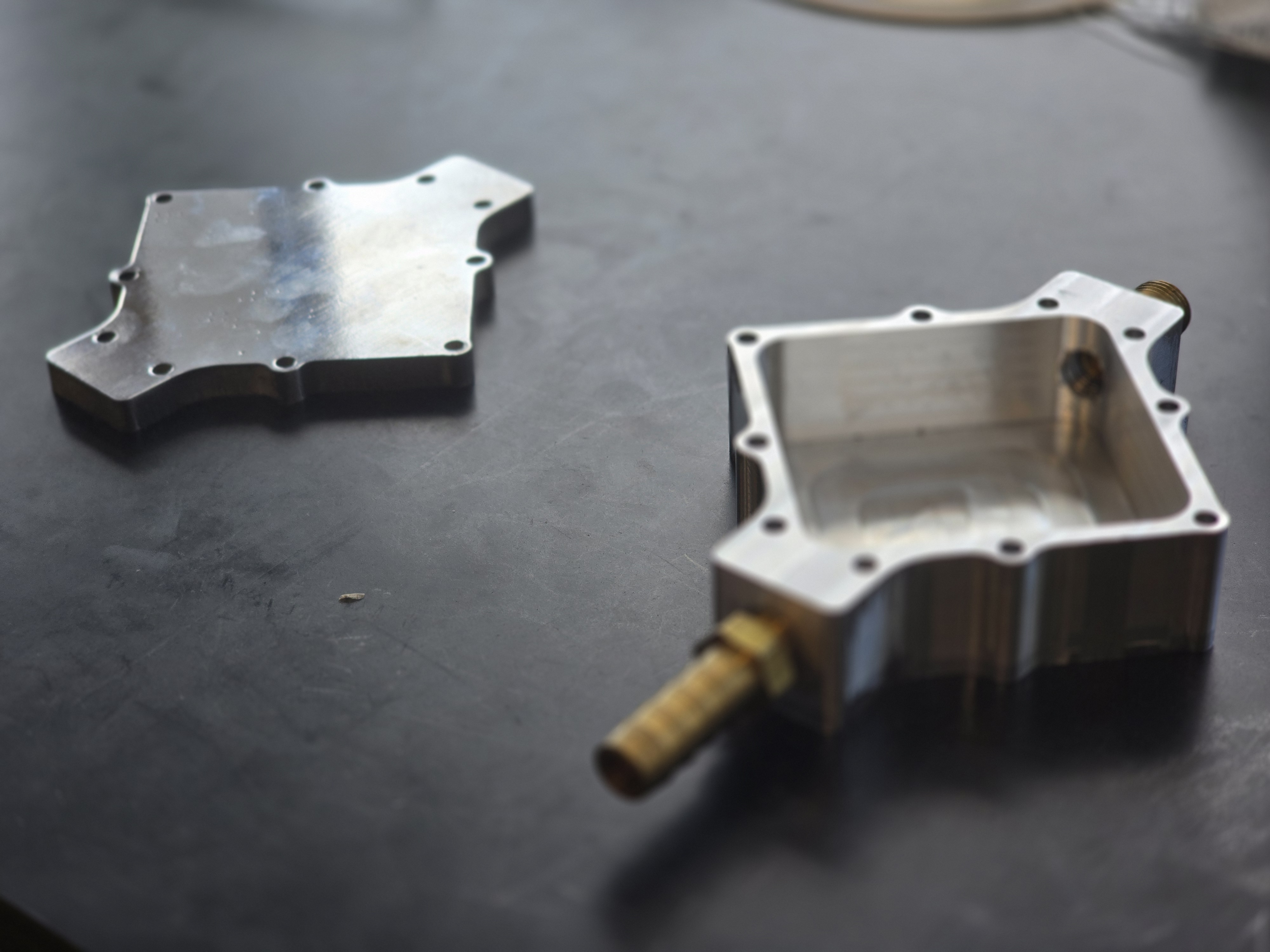
The vacuum chamber in a Haas VF2 after being milled.The vacuum chamber after being removed from mill, still secured to the rest of the stock.
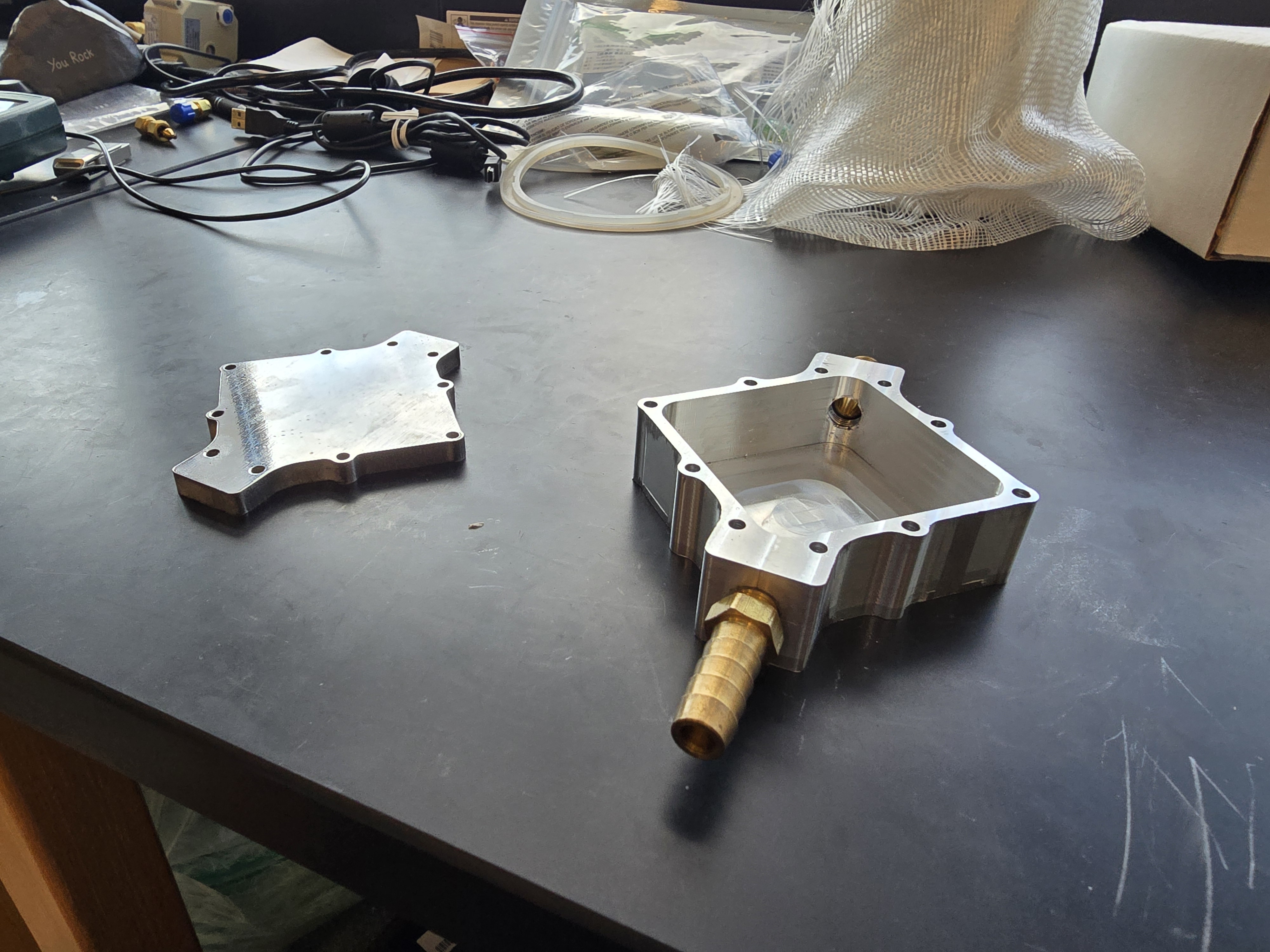
After milling, I used a band saw to free the chamber from the stock, then set it up in a manual mill to drill and tap the two 1/8” NPT holes. From the CAD model, I made a DXF file to waterjet cut a lid for the chamber, and used that same file to laser cut a silicone gasket to seal it.
Testing and Troubleshooting the Seal
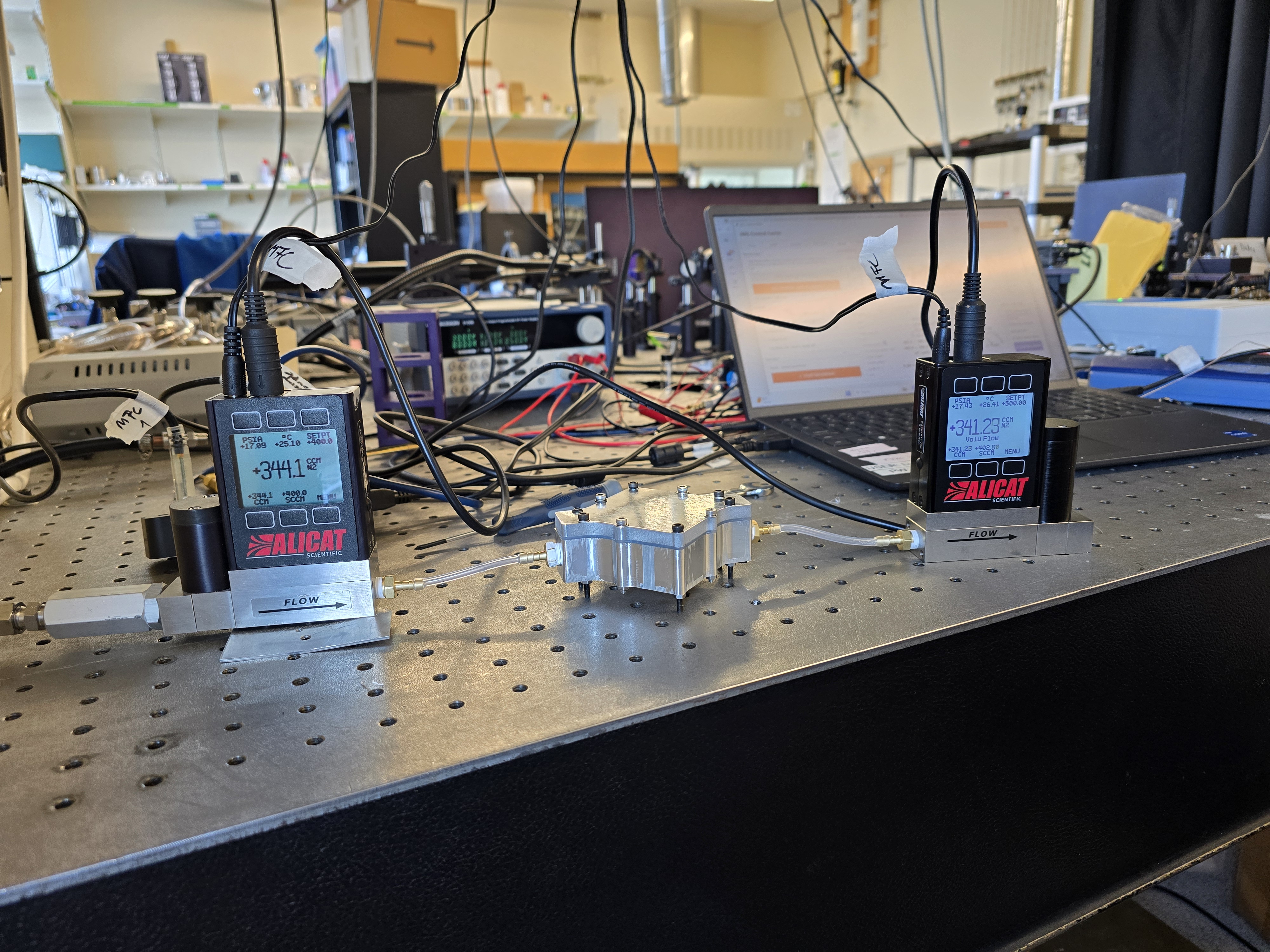
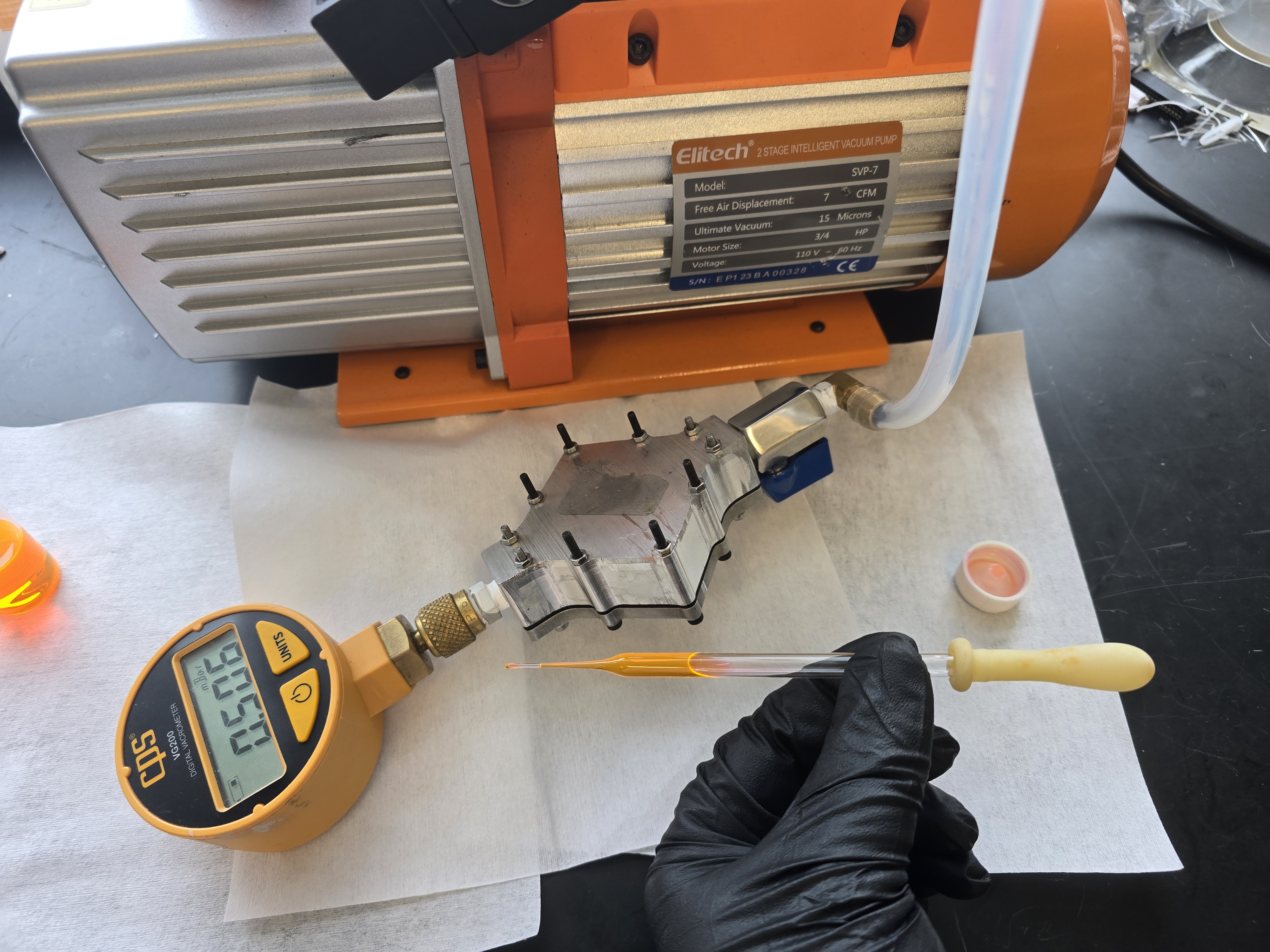
With the chamber built, the PhD student who runs the carbon capture lab and I used the Alicat mass flow controllers from the DGS to test for leaks under atmospheric pressure. Pumping nitrogen through the chamber, we measured a leak rate of roughly 1% at 500 SCCM, the top of the flow controllers’ range. We moved on to vacuum testing, connecting the chamber to a vacuum pump on one end through a valve, with a gauge on the other.
Two Alicat mass flow controllers connected to the vacuum chamber to measure leakage under atmospheric pressure.
This is where most of our problems started. With the pump running, the chamber reached 0.8 mbar, but closing the valve to the pump let pressure rise quickly. Research pointed to the cause: silicone is highly gas-permeable, and we’d only used it because the lab already had a sheet on hand. We switched to a laser-cut nitrile (Buna-N) gasket instead. Concerned about flatness, I lapped both the lid and the chamber on a granite surface plate so the gasket’s contact points would seal as evenly as possible. Neither change fixed the leak.
Milling the lid before lapping to be as flat as possible
Finding the Leak
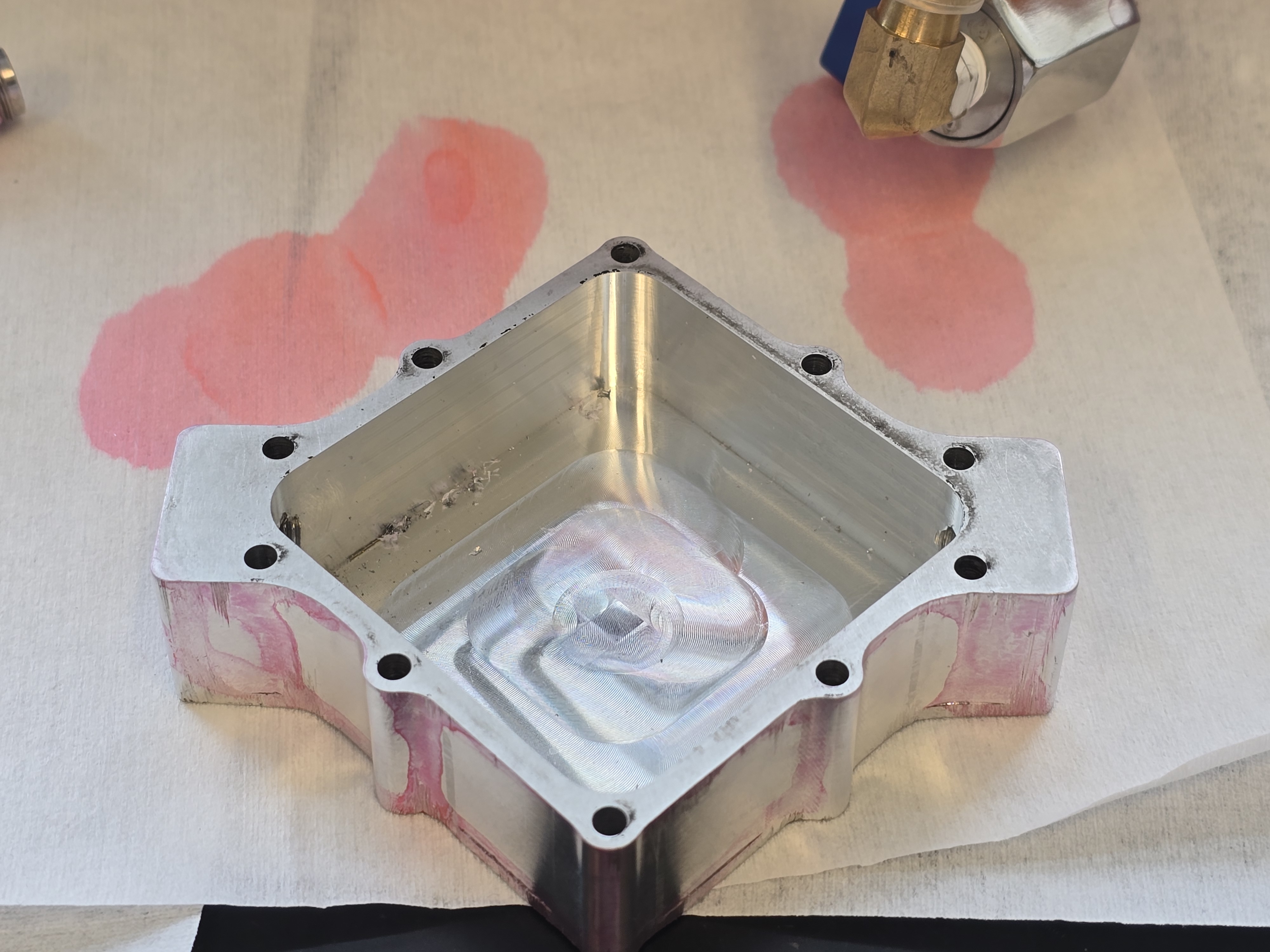
After consulting with someone who designs vacuum chambers professionally, I ran an isopropanol (IPA) test on the whole system. The test works by temporarily plugging a leak with liquid IPA; as it evaporates and is drawn into the chamber, it produces a visible pressure spike on the pump gauge or vacrometer. Applying IPA to every likely leak point produced no spike, until I poured it onto the fitting for the vacrometer (a CPS VG200), which immediately sealed and held vacuum. We also mixed red dye with the IPA, hoping to see where the leaks are.
The IPA never fully evaporated into the chamber at that fitting; we think the leak there is small enough that the IPA’s surface tension alone was plugging it. With that seal, the chamber held 2 mbar or less for six hours. Overnight, though, the IPA evaporated out to the atmosphere side, the leak reopened, and by morning the chamber had lost vacuum entirely (back above 100 mbar). We ordered a new gasket for the vacrometer, hoping that would solve it, but the leak persisted.
The dyed IPA being applied to the chamber to check for leaks.Inspecting the chamber for any dye intrusion after IPA test.
Isolating the Valve
Next we removed the gauge entirely to cut down on possible leak points and turned to the NPT valves as the next suspect. IPA on the valves hadn’t shown a spike in the earlier round, but we tried again, confident the chamber itself was sound. With the chamber held at 0.5 mbar by the pump, pouring IPA into a valve handle held upside down, then flipping it upright, spiked the pressure to over 10 mbar. Once again, the NPT fittings and the chamber’s own gasket showed nothing.
Pouring IPA into the valve handle spikes the chamber pressure from 0.5 to over 10 mbar.
We’re not sure yet why the valves sealed in the earlier test but not this one; our best guess is that of the two identical 1/8” NPT valves, only one is actually good. Either way, we believe the chamber itself is capable of holding a vacuum sufficient for the long-duration degradation tests, we just need fittings that won’t leak over time.
Next Steps
Once the fittings are sorted, the next tests are to see how the chamber holds vacuum while heated by the resistive heater on the bottom, and how fast and efficiently it can cycle gases. After that, it’ll be ready for its intended purpose.
May 2026 - Present
Lubner Group, Boston University · Laboratory Assistant
PressMate
A high-quality, all-in-one steel coffee press
Boston University · ME 537 Product Realization · Team of [4] · Tools: [CNC Lathe, Manual Lathe, Fusion 360, Wire EDM, Waterjet cutting, TIG welding]
The PressMate started as a project for the Product Realization class at BU (ME 537). The goal was to go from concept to 10 fully working prototypes, and then to a mass production plan for 10,000 units. The idea began with a question: what if the AeroPress was inverted, and you could drink straight out of it? From there, we drew a basic design and made four mockups to test it.
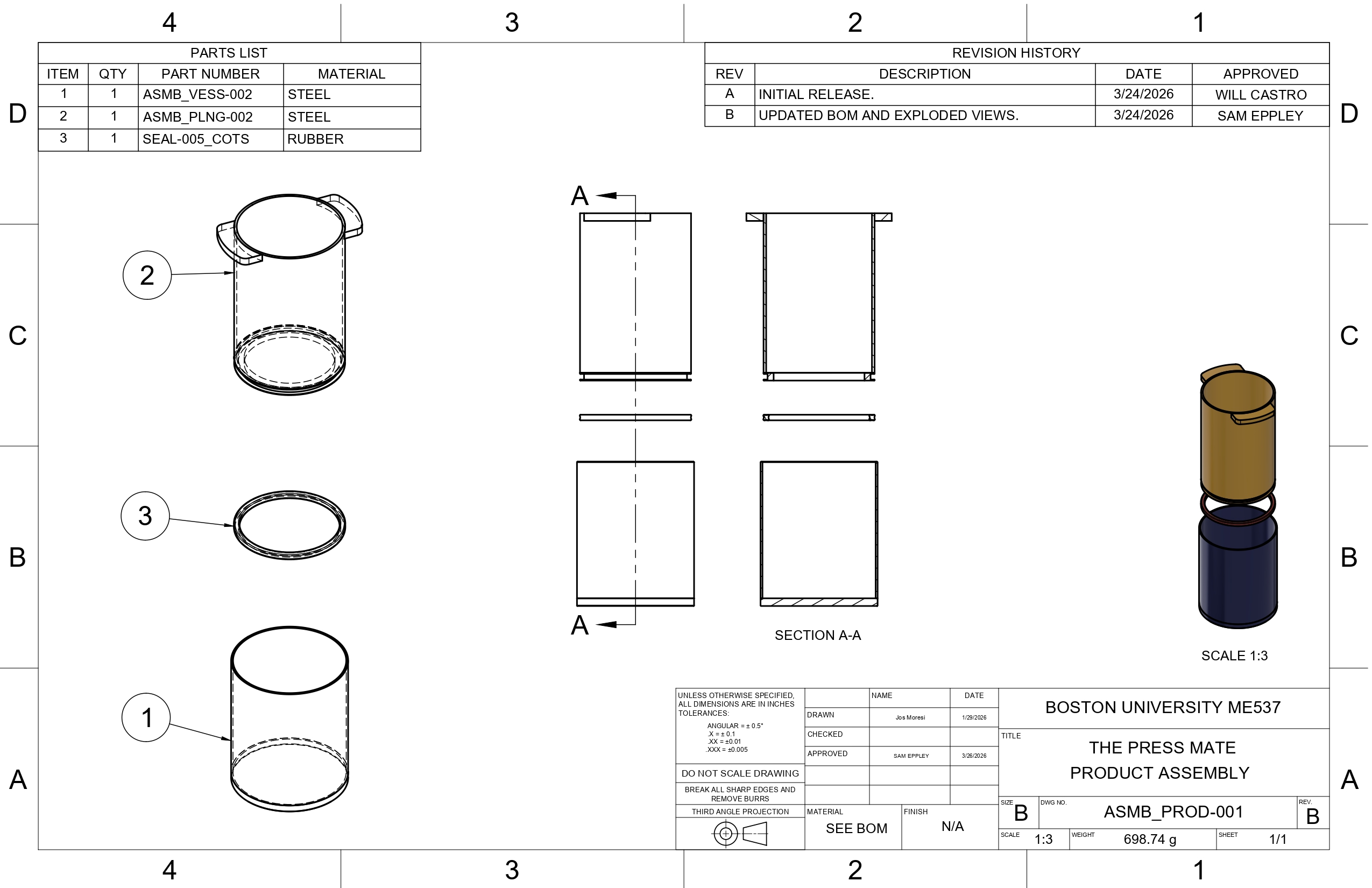
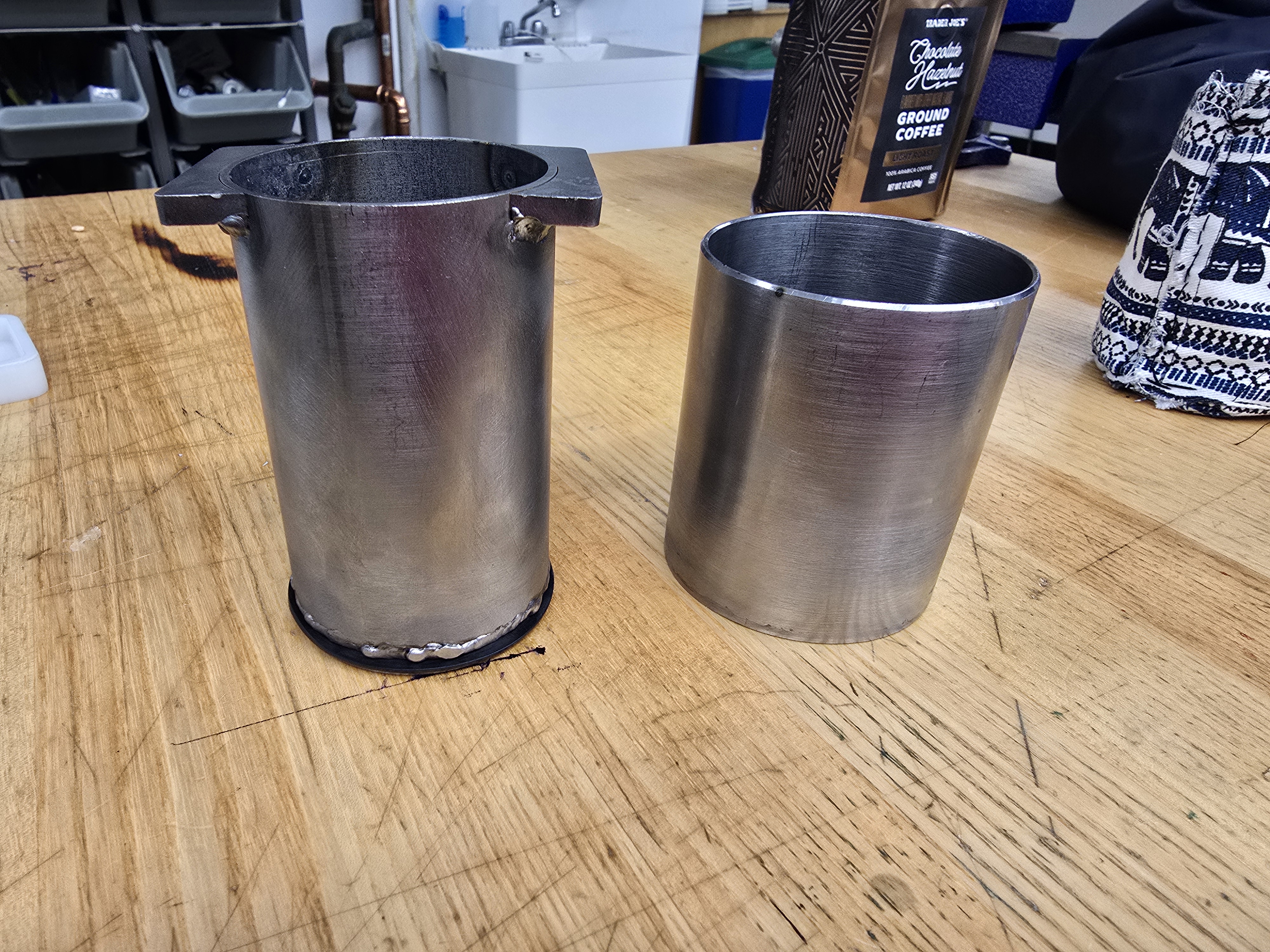
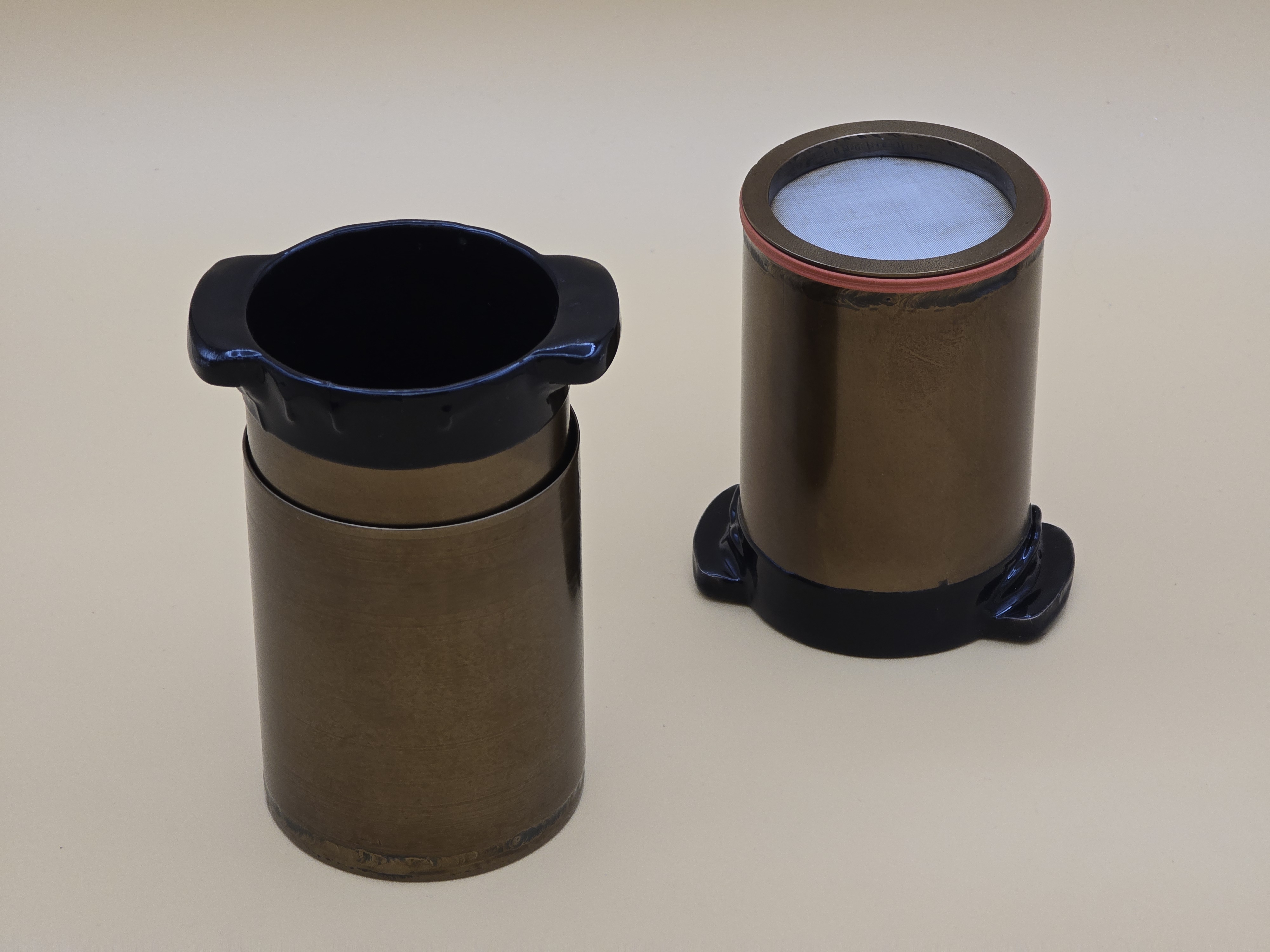
The PressMate is made up of three main components: the vessel, the plunger, and the O-ring. The vessel is a simple cup that holds the coffee, made from turned steel tube with a circular sheet of matching diameter welded to the bottom. The plunger is made from a taller but narrower tube, with a filter sandwiched against the bottom by a ring that is welded on to permanently attach it. Two tabs are welded to the top of the plunger so the user can more easily push it down and pull it out. A groove is cut into the side of the plunger where the O-ring sits, sealing the plunger to the vessel
To brew, the user fills the vessel with coffee grounds and boiling water, then slowly pushes the plunger down into the vessel. The coffee passes up through the filter into the plunger, while the grounds stay trapped below, so the user can drink straight from the press.
Assembly drawing of the PressMate.
Mockups
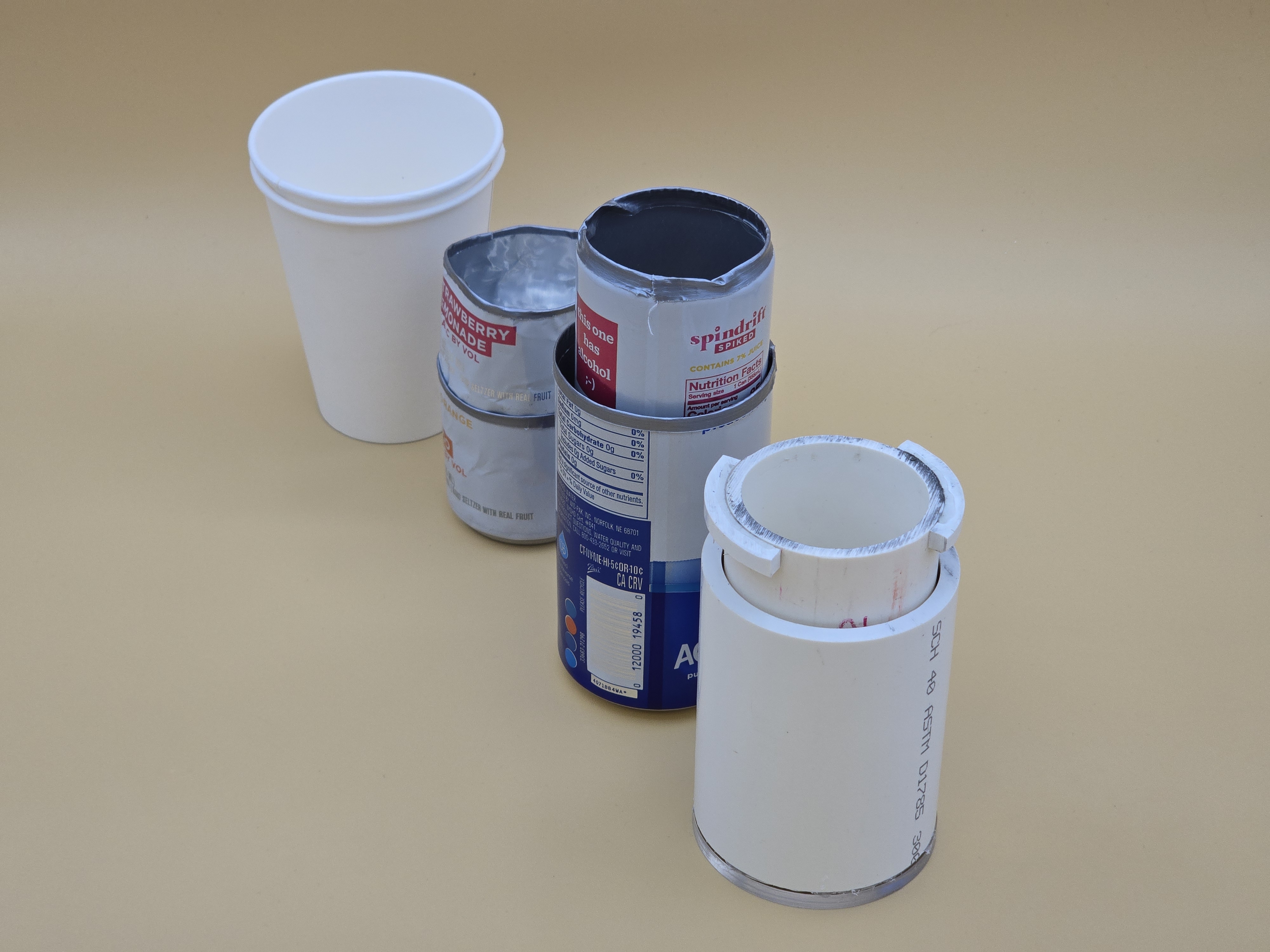
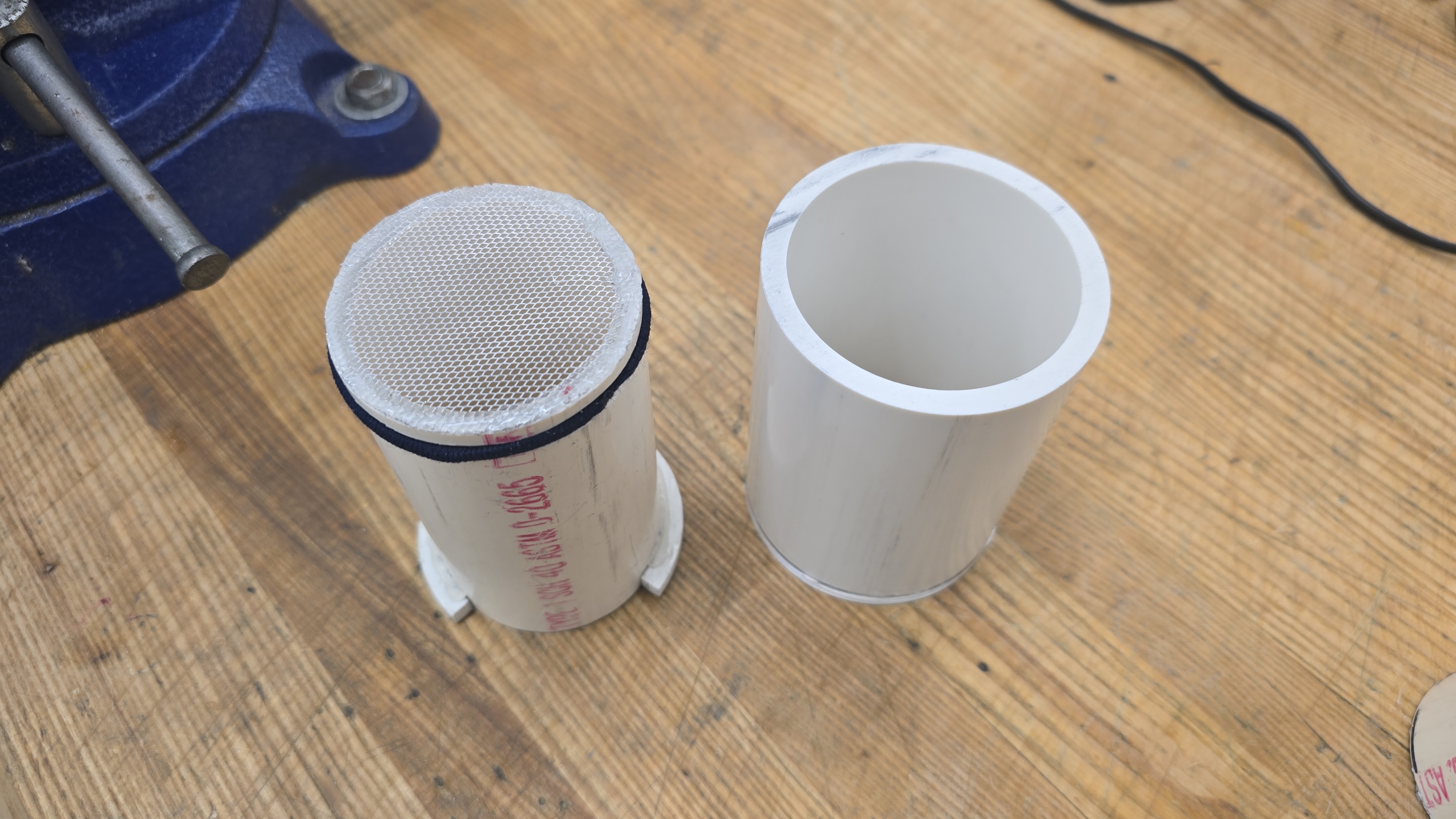
The first mockup was simple: two paper cups, one unmodified as the vessel and one with holes poked in the bottom to act as the plunger. However, we learned that a seal can’t be achieved with tapered walls. The next two mockups were made from drink cans, with duct tape acting as a seal, which proved the design could work. The last mockup was made from PVC pipe. The vessel was cut PVC with a laser-cut acrylic bottom glued on to make it watertight. The plunger was a smaller PVC pipe with a steel mesh glued to the bottom as a filter. A groove was cut into the plunger, and a hair tie worked as the O-ring. PVC tabs were cut and glued to the top of the plunger for ease of use. The PVC mockup worked well and cemented our design.
PressMate mockups.PVC vessel and plunger.
EVT (Engineering Validation Test)
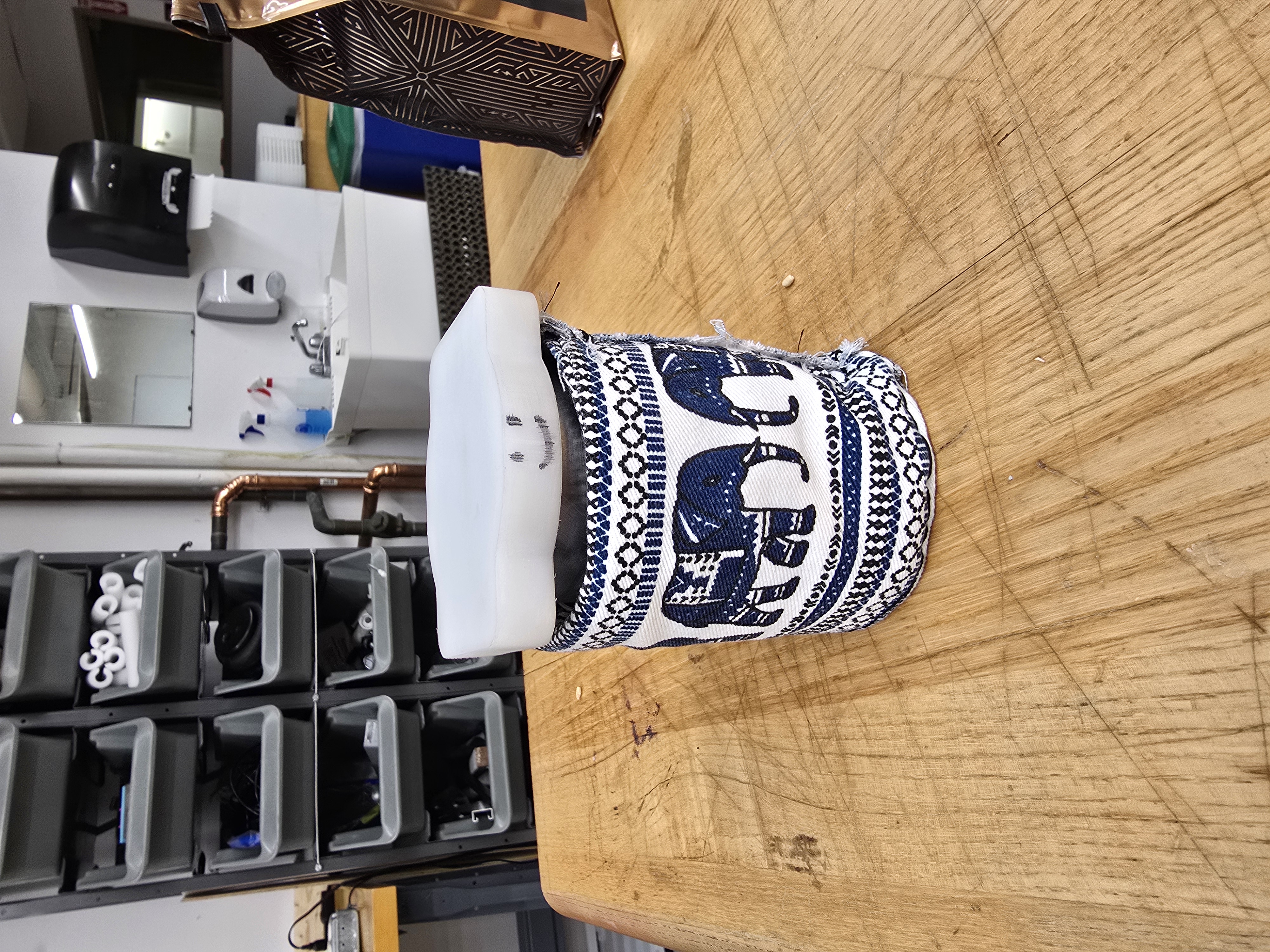
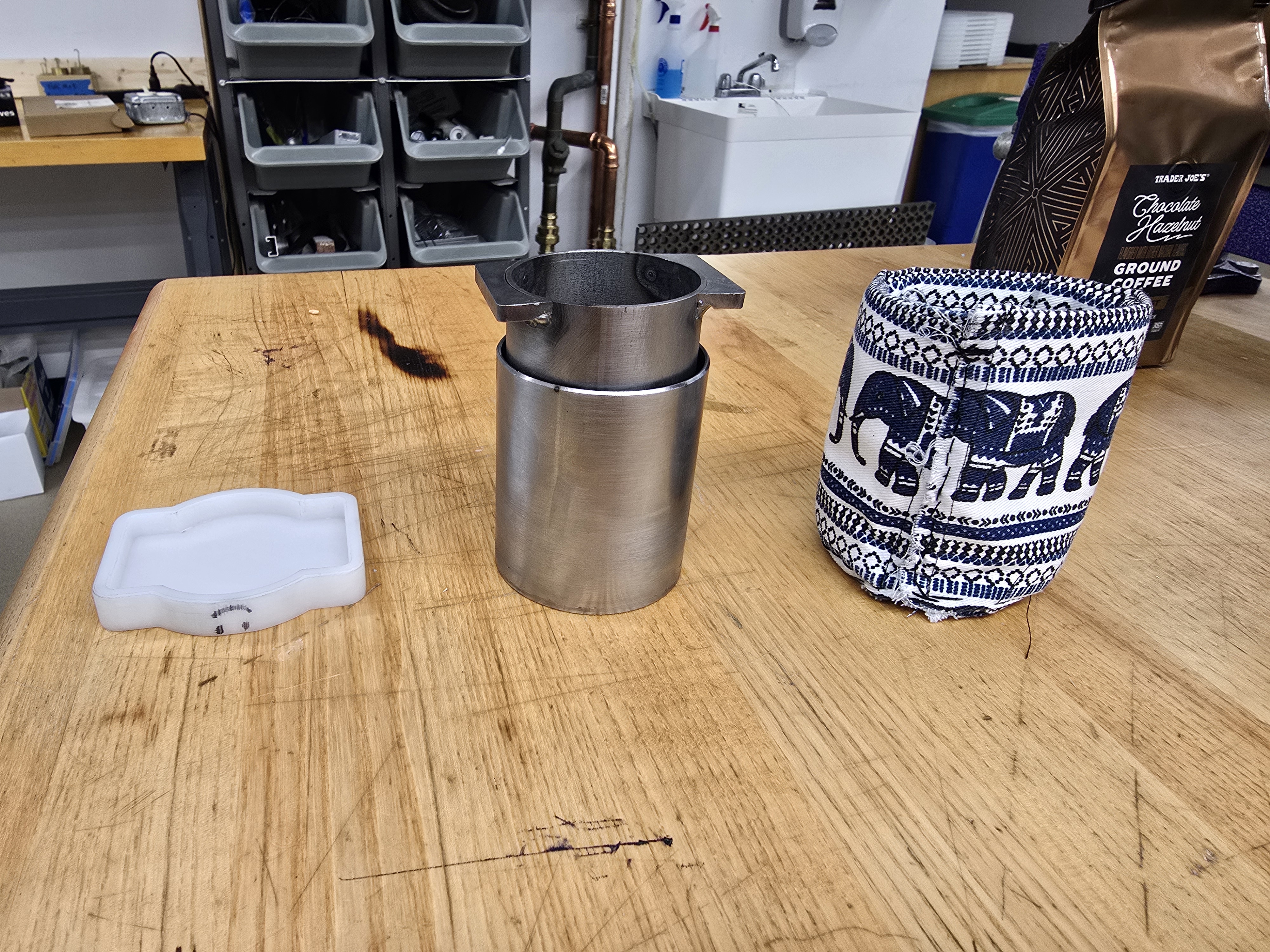
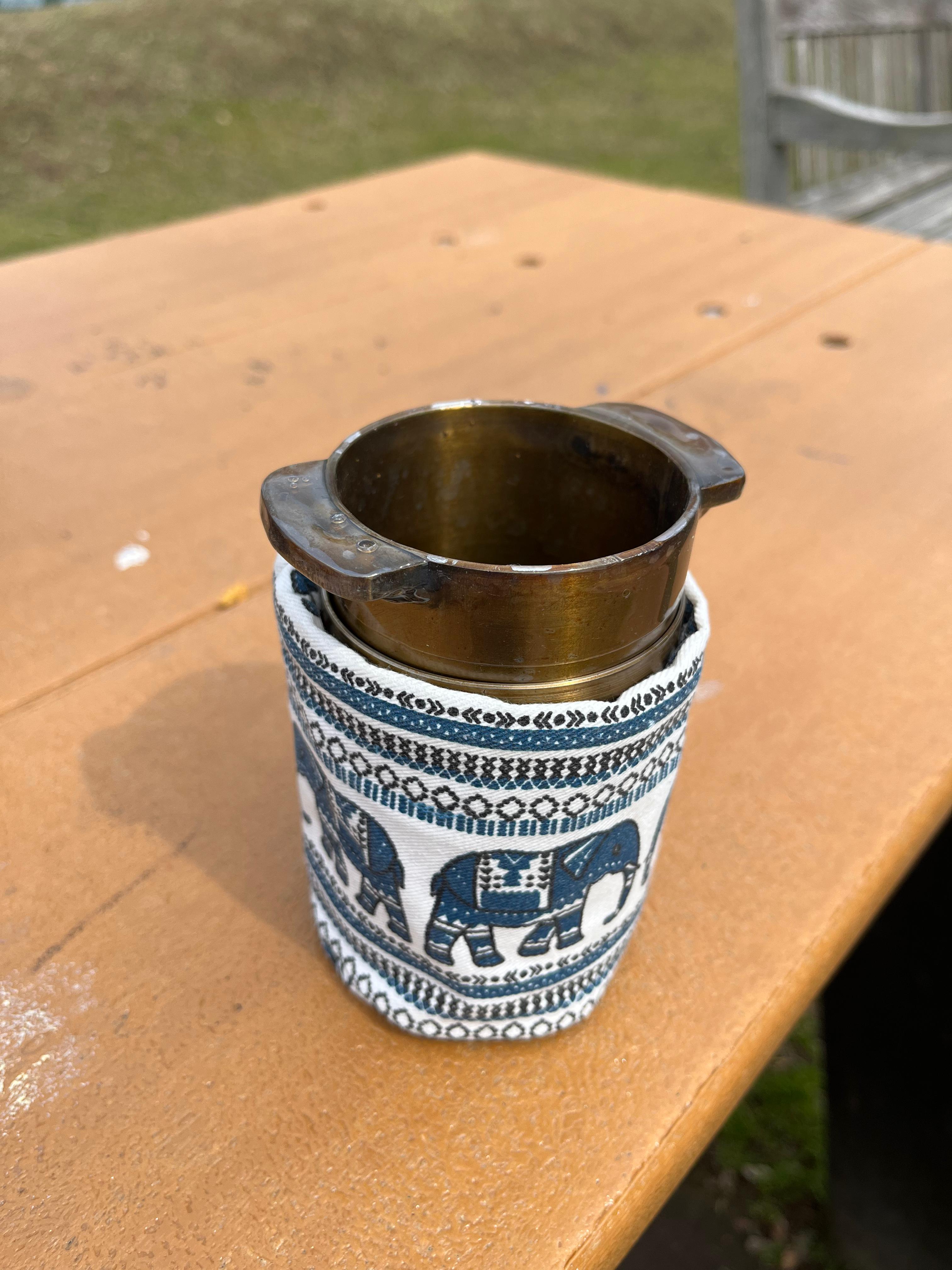
The EVT was our first steel prototype. It is smaller than the PVC mockup, with a diameter of 2” and a total height of about 3.5”, because we wanted it to fit comfortably in one hand and to save on cost. We stitched a koozie so the press wouldn’t burn the user’s hand, and milled a lid from HDPE because we were worried about hot water splashing onto the user’s hand while pressing the plunger.
EVT PressMate.Disassembled EVT PressMate.EVT vessel and plunger.
Ultimately, the EVT proved that we could manufacture the press from steel, but it was too small to hold a standard cup of coffee (8 oz). The finish also needed improvement, and we needed a seal that worked better.
DVT (Design Validation Test)
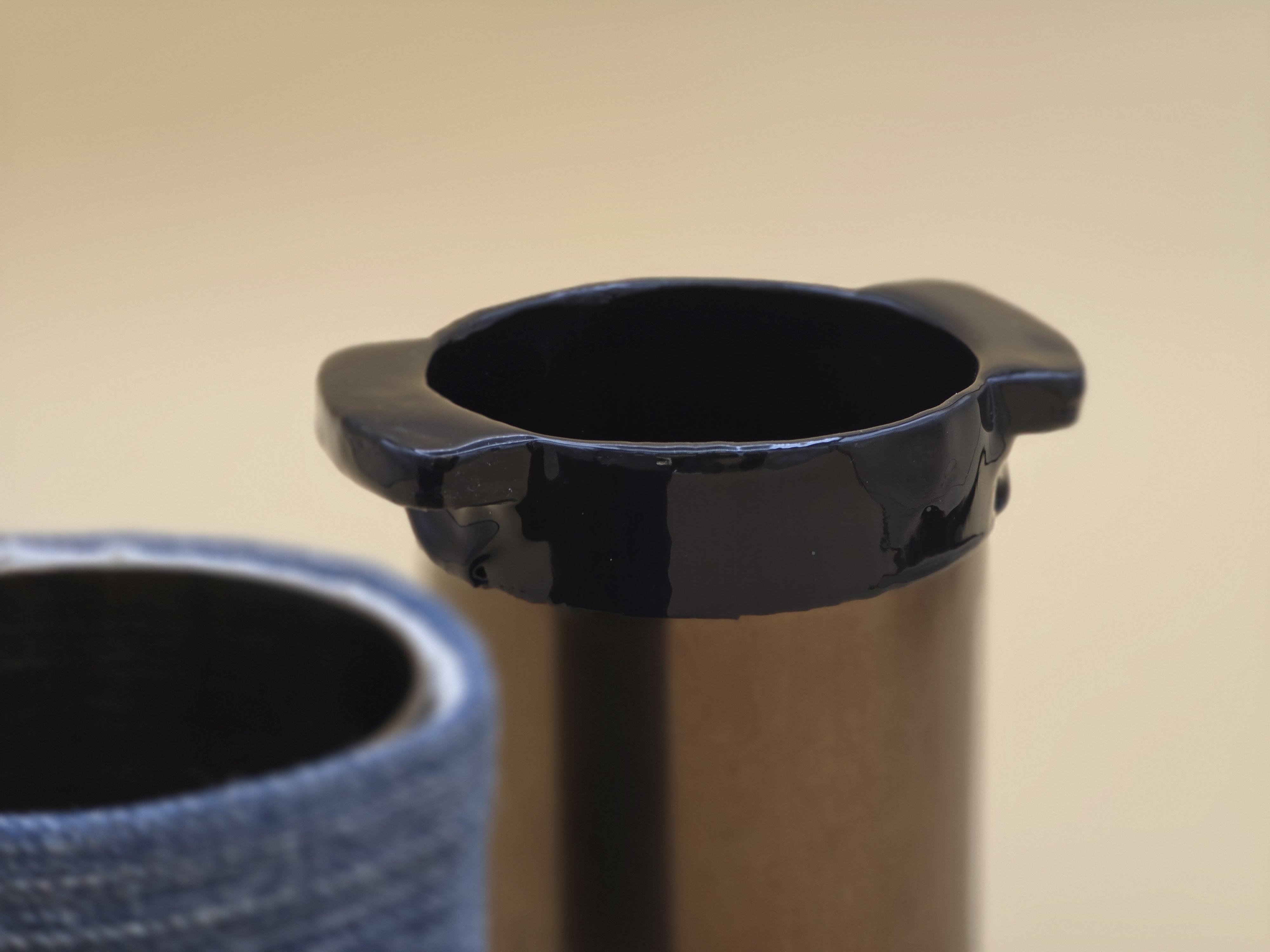
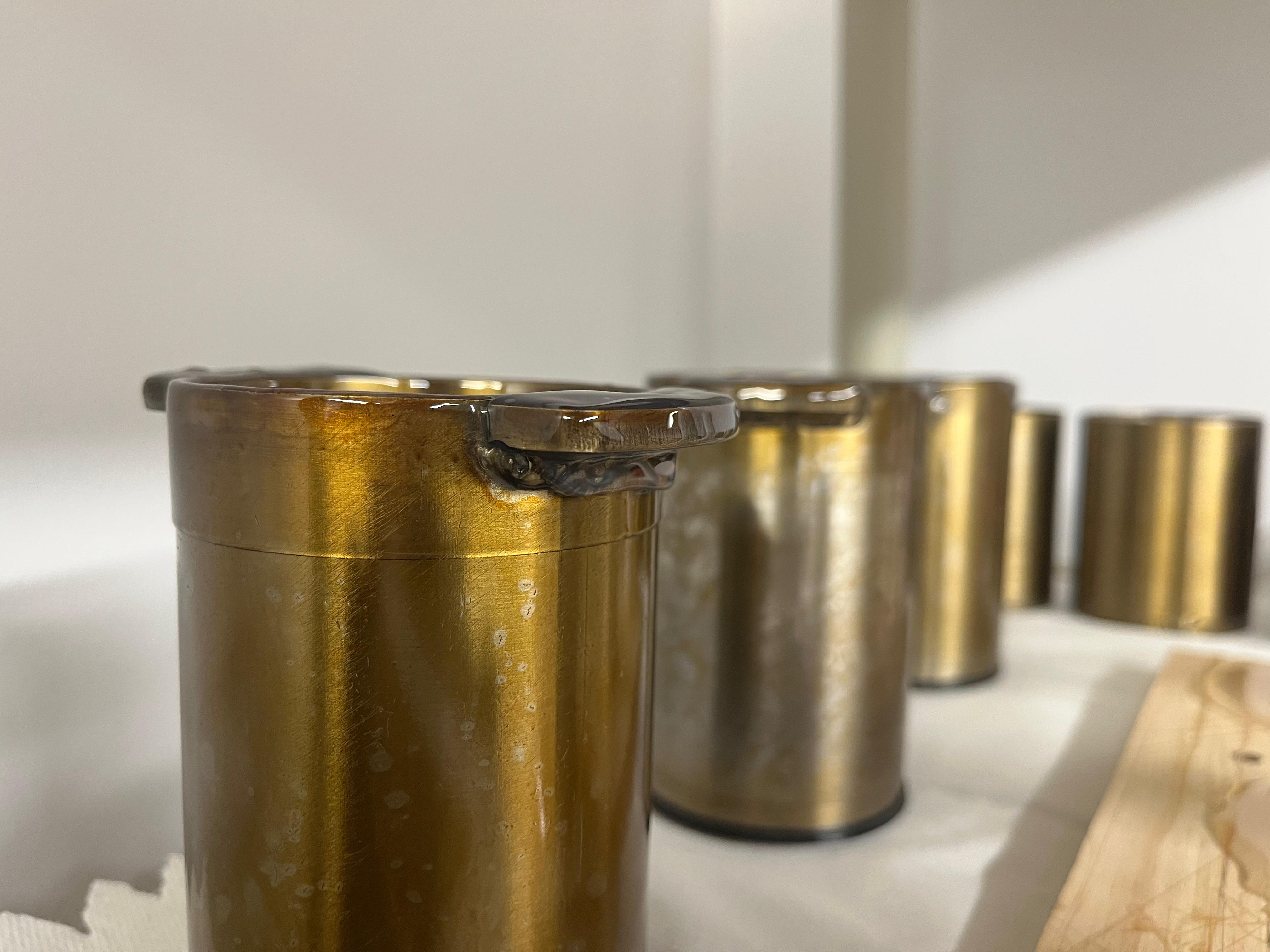
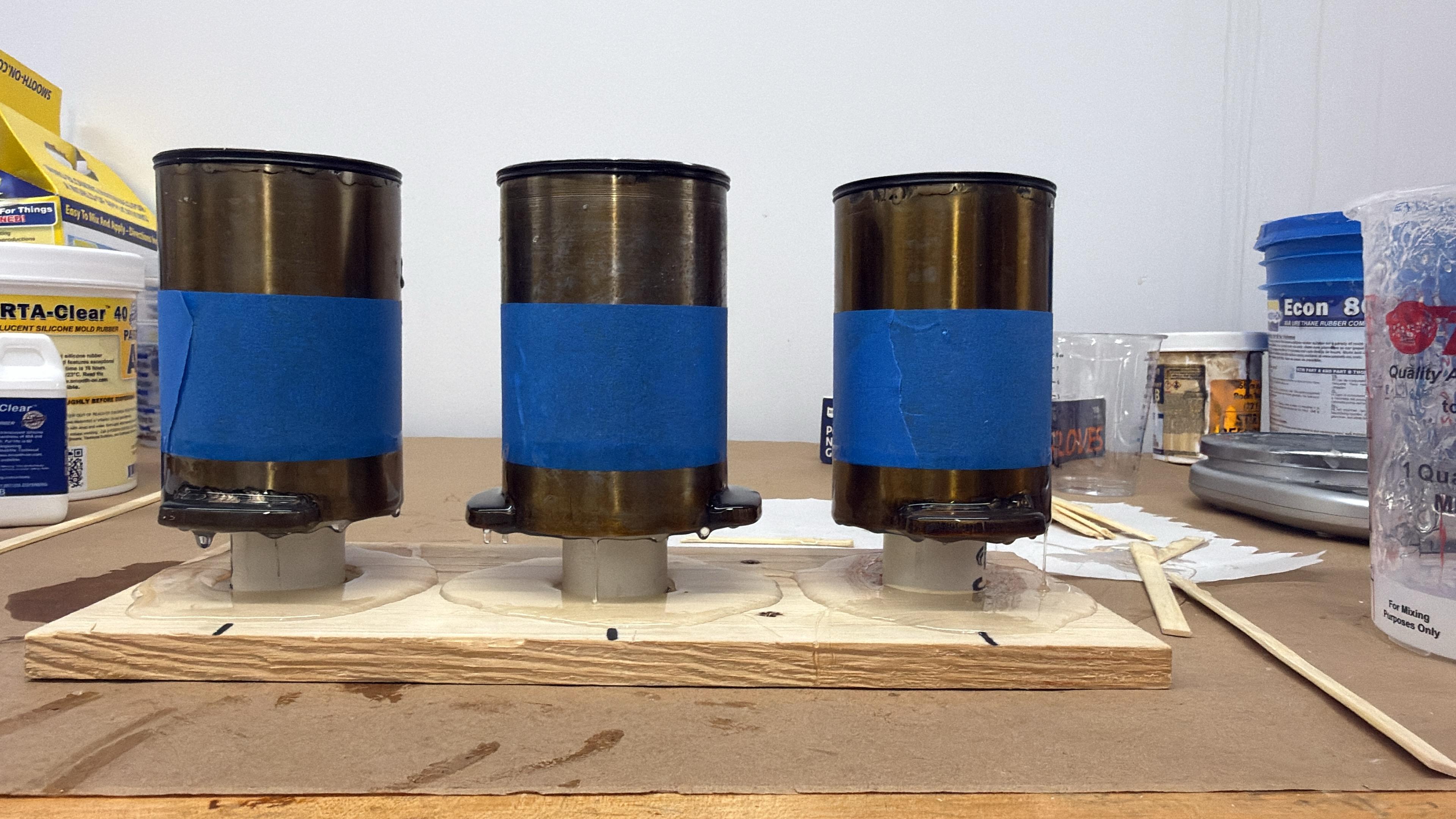
The DVT phase consisted of 3 prototypes. They are larger than the EVT, with a diameter of 2.9” and a total height of 4.33”. For the seal, we switched to X-profile O-rings, which stay in the plunger’s groove and seal more consistently than the double-layered backup O-rings we were using before. Since the prototypes were made from 1010 carbon steel, we needed a coating that would let water (or coffee) sit in the press without it corroding over time. We coated the plunger and vessel in grapeseed oil and baked them at 425°F to polymerize the oil, a process commonly known as “seasoning.” This also gave the PressMate a golden color.
DVTs curing after silicone dipping.Assembled DVT outside.
Testing showed that hot water splashing onto the user’s hand wasn’t actually an issue, so we dropped the lid. However, there was still a risk of the user burning their lips when drinking from the press, so we added a silicone lip to the top of the plunger. The koozies were also enlarged and improved.
DVTs after silicon dipping. Sitting on custom fixture.
There was still more to improve at this stage. The coatings were uneven, the silicone lip was too thin, the surface finish of the steel needed work, and the bottom lip of the groove was too flimsy
PVT (Production Validation Test)
The PVT was our final phase of prototyping, ending with a run of 10 more prototypes. The only design change from DVT was increasing the thickness of the steel plate used for the bottom of the plunger and vessel. Instead, we focused on improving every manufacturing process to get a better finish across the whole PressMate:
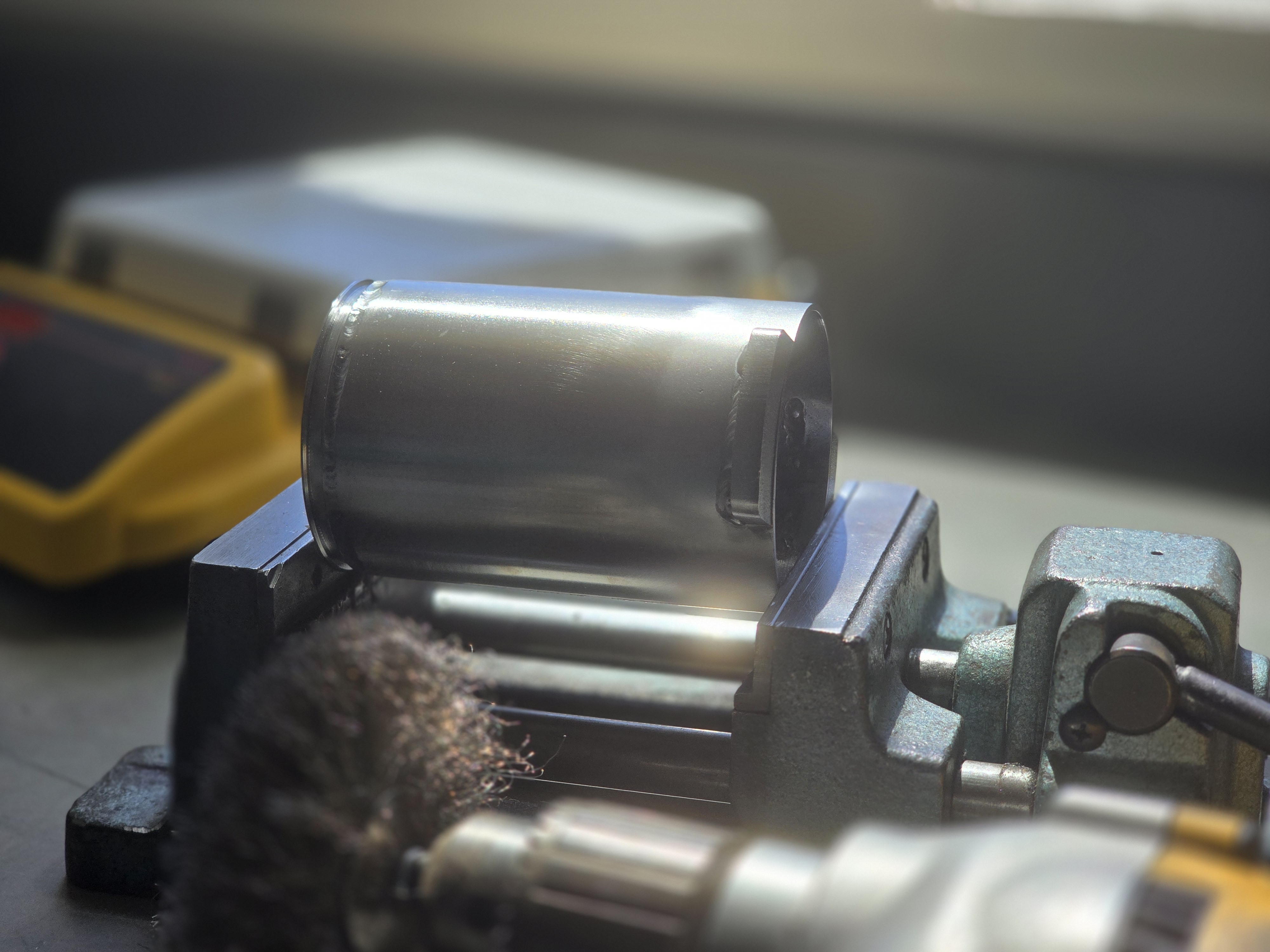
Machining: We optimized the CNC lathe process for our steel tubes, testing different cutting inserts, boring bars of different stiffnesses, cut depths, cutting speeds, feed rates, and even chuck clamping forces (to keep the tube from going out of round). This vastly improved the finish on both the plunger and the vessel.
Welding: We switched to smaller, faster welds that still had good penetration, were more consistent, and sat more flush with the tube, and leaked no water.
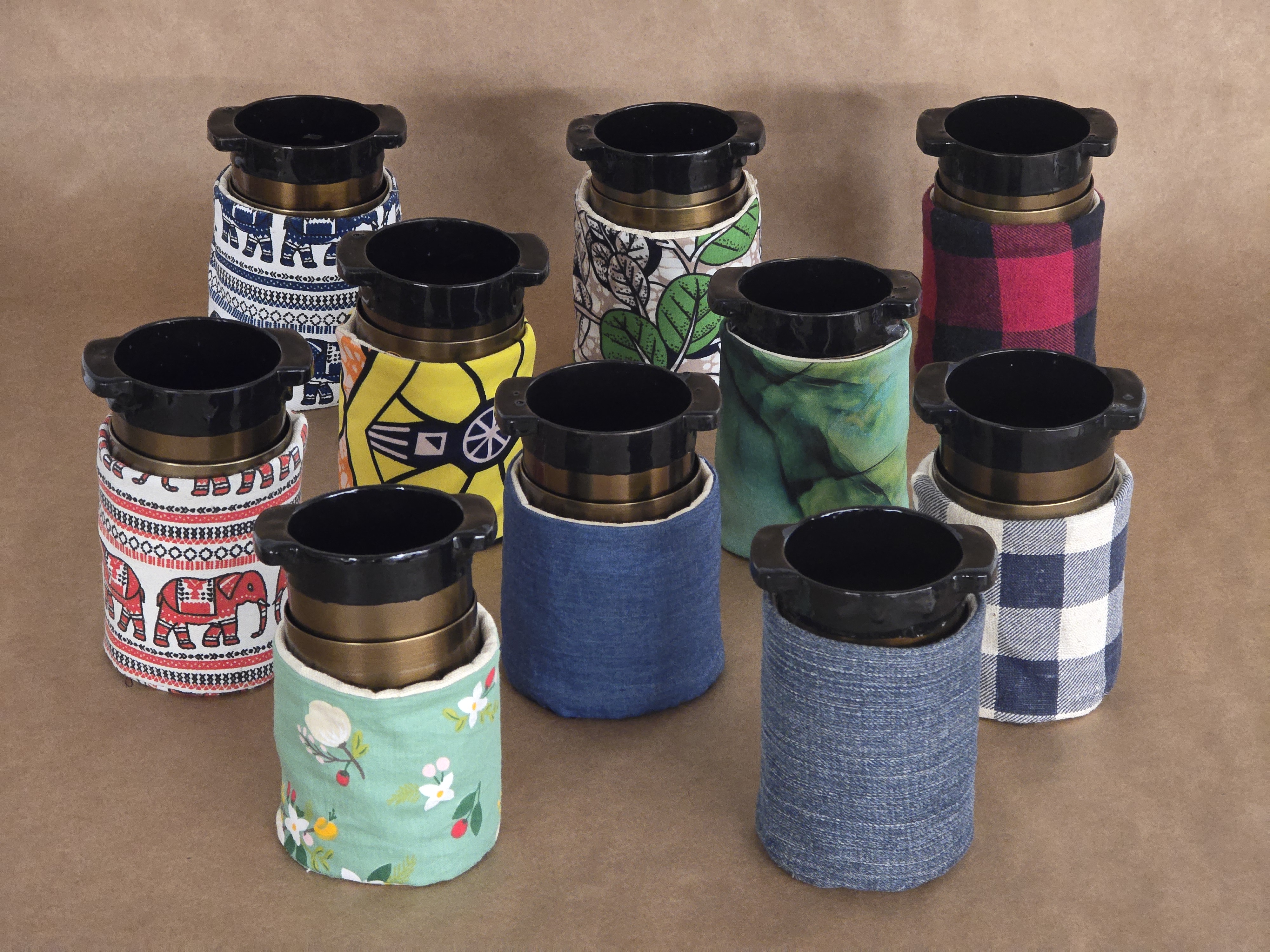
Koozies: A new stitching method reduced fraying and visible seams.
Silicone lip: We let the silicone cure longer before dipping to get a thicker coat, and dyed it black to add some color to the press.
Coating: We made sure no paper fibers or hairs were trapped in the coating, and made it as even as we could.
An assembled PVT next to another PVT plunger.A PVT plunger being polished with a wire brush.
However, the PVT also brought our most challenging problem yet. Even though the design and O-rings stayed the same from DVT to PVT, the thicker ring on the plunger (where we cut the groove) stiffened the bottom lip of the groove, so it could no longer flex as the O-ring compressed. This caused the plunger to bind in the vessel and get stuck. At first, we thought the much smoother surface finish was creating more friction against the O-ring. Once we identified the real cause, a groove gland width that was too narrow, we added chamfers to the groove, giving the O-rings enough room to expand without binding.
All 10 PVTs with all variations of koozies.
Documentation
Building the PressMates was only half of the work in this project. Overall, we created 16 documents and maintained them with our own versioning and document tracking rules. We also made a template for each document, archived every previous version, and documented every team meeting.
Want to see the documentation? Click here!
Date: January 2026 - May 2026
Course: Product Realization - ME537
Circuit Printing
Expanding a fully automated robotic cell that mills, ink-writes, and assembles custom circuits.
Overview
The Circuit Printing project was part of the Advanced Manufacturing course at BU. Every group in the class worked in the Automated Manufacturing Lab (ADML), where the goal was to fully automate the manufacturing of a component or product. My group of six chose circuit printing.
The ADML
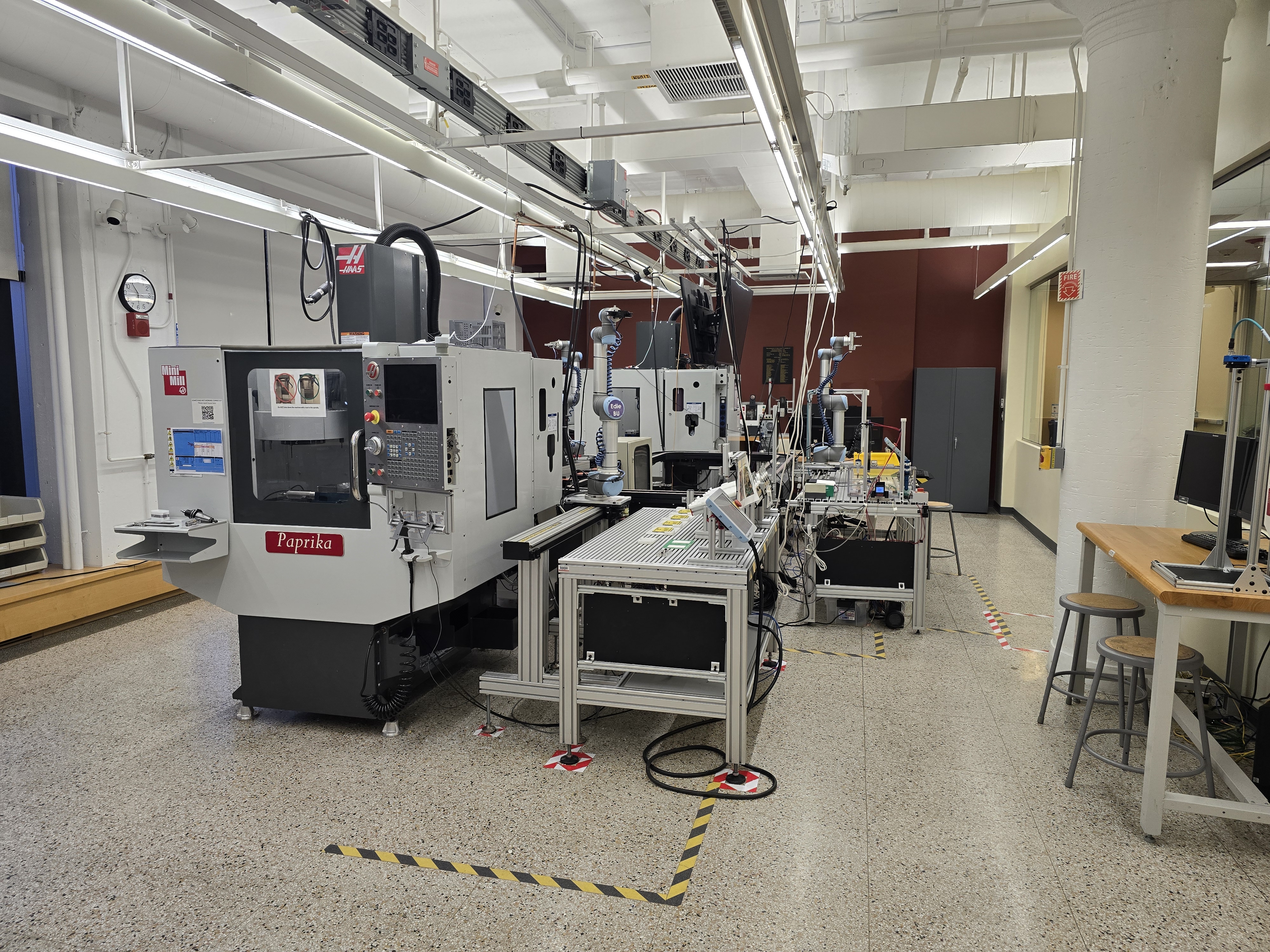
The ADML is a robotic manufacturing cell made up of two Haas CM-1 CNC mills, three UR5 robotic arms, and a conveyor belt connecting each station. Two of the stations each pair a mill with a UR5. Each mill has an opening in its side that lets the robot load and unload stock from a pneumatic vise. The robot then places the milled stock on a tray, which it loads onto (or unloads from) the conveyor.
The last station has the third UR5, which takes the trays of milled parts, assembles them, and sets the finished product aside. This robot can also pick up syringes that dispense conductive silver ink onto the parts.
The ADML: two CNC mills, three UR5 arms, and a conveyor connecting them.
How Circuit Printing Worked
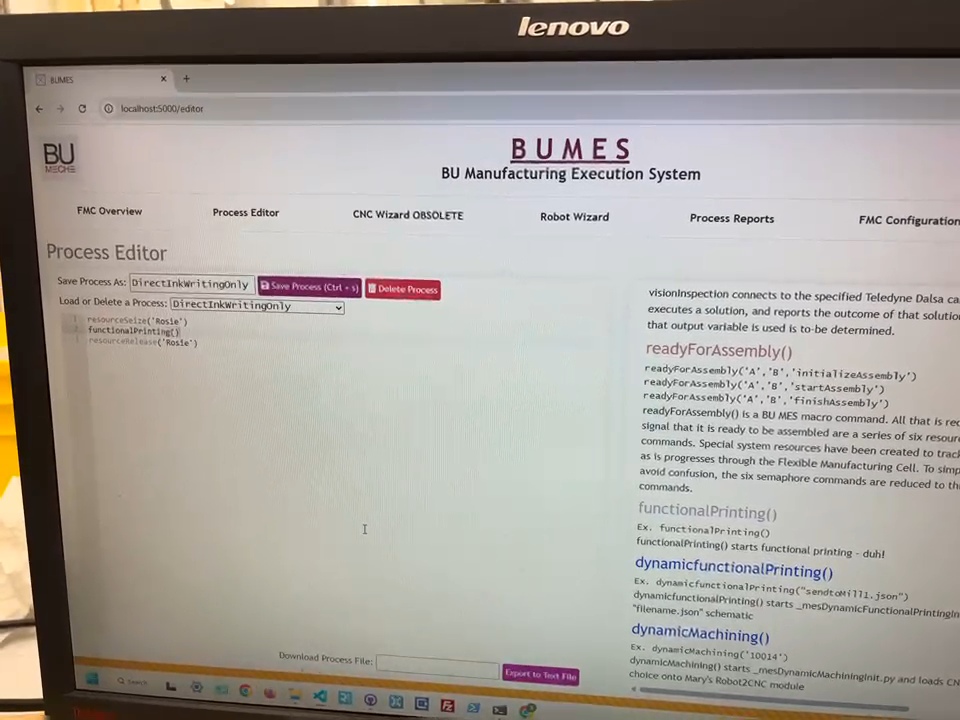
The ADML already had a circuit printing setup, but it was very limited, so our goal was to expand it. Circuit printing ran on three programs: automated CAD (with a GUI), automated CAM, and the BU Manufacturing Execution System (BUMES).
A user designs a basic circuit in the GUI by entering the dimensions of the HDPE stock and placing each component on the board. The GUI had a set list of components: an LED, a battery, a button, and a microcontroller. After the components are placed and connected in the GUI’s 2D layout, the automated CAD program generates a Fusion model of the stock with pockets to hold each component and channels for the conductive ink. Automated CAM then generates the toolpaths for the CM-1 mills, and the G-code is uploaded to the machines.
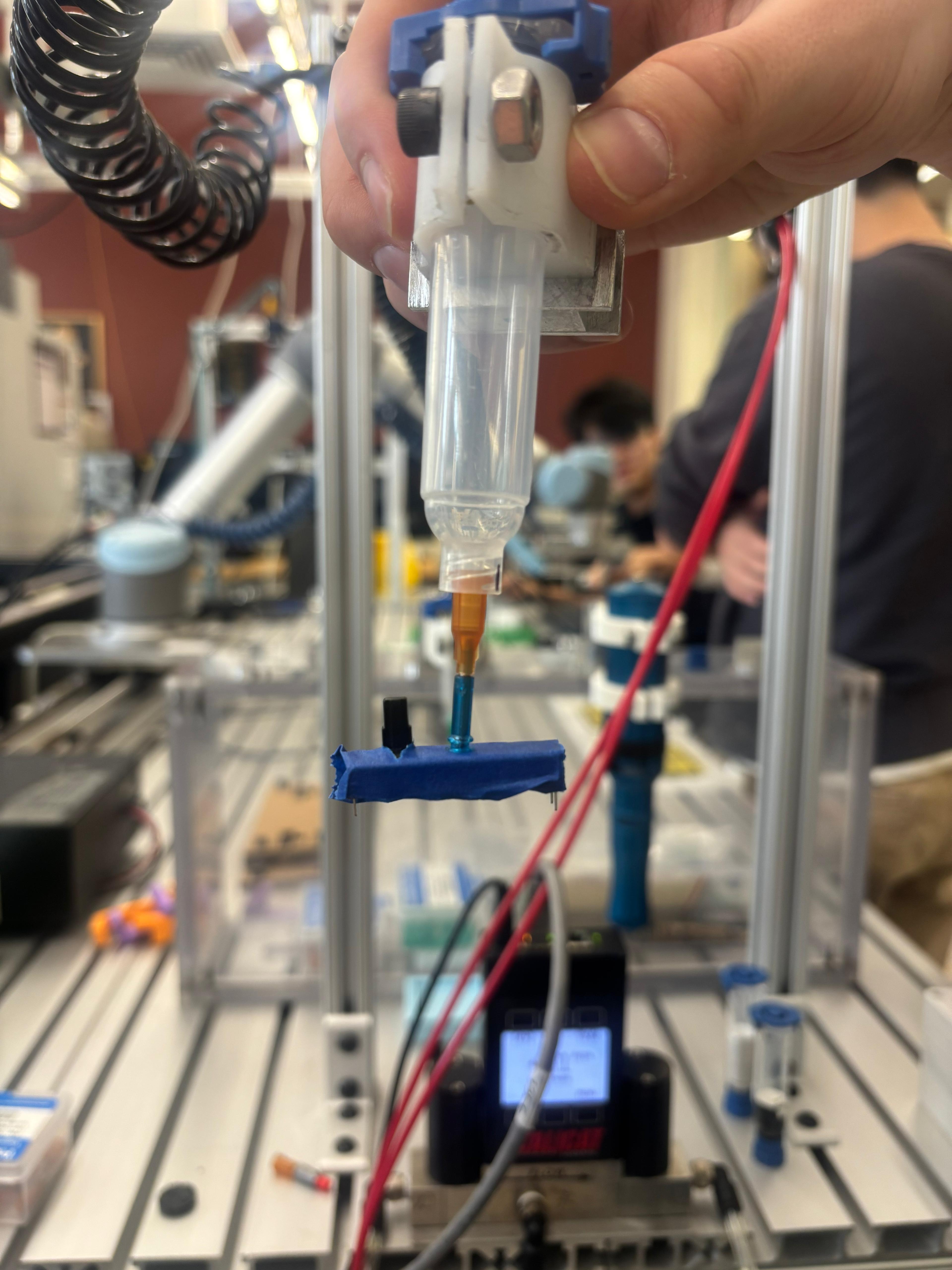
From there, BUMES runs the whole system. It sends the UR5s preset commands to load the mills with stock, run the mills, and place the milled boards onto the conveyor. The third arm then uses a pneumatic syringe to direct ink write (DIW) the conductive traces into the milled channels, and a second syringe with a rubber suction tip to pick up each component and place it on the board.
The circuit printing system controlled through BUMES.
Expanding the System
We felt the component list was too limited, so we added two new parts: a potentiometer and a buzzer. Adding them meant working through every layer of the system:
CAD and GUI: We modeled each component and programmed its dimensions, pin locations, and pin polarities into the GUI.
Automated CAD and CAM: We verified that both programs correctly generated pockets, ink channels, and toolpaths for the new parts.
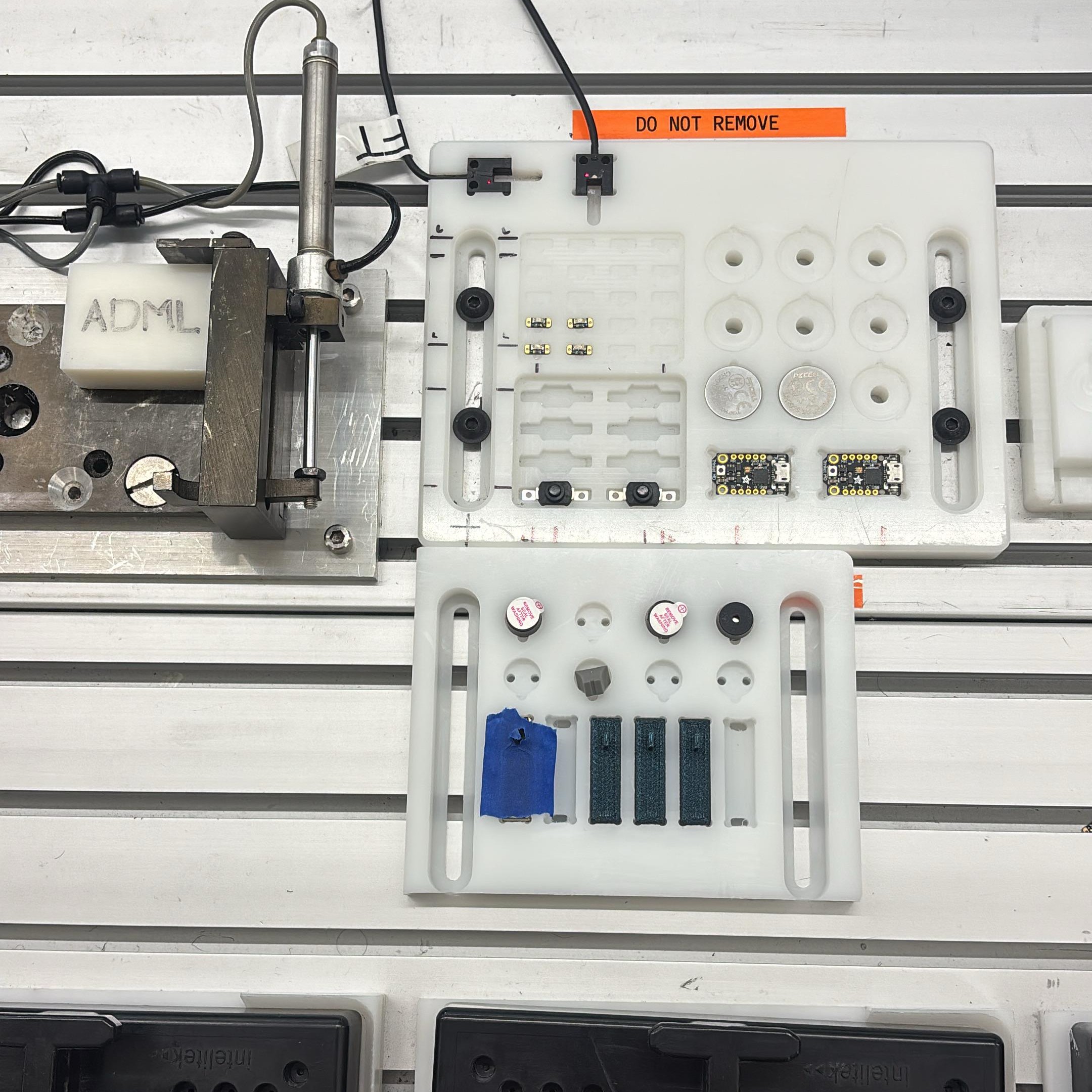
Component tray: We built a new tray to hold the new components, sitting next to the existing tray.
Pick and place: We added each component’s location and orientation to the pick-and-place program in BUMES, so the UR5 would know where to find it.
Tuning: We tuned the system until the robot picked and placed every component accurately and consistently.
The UR5 assembling a printed circuit.
Problem Solving
Although most of the circuit printing software already existed, getting our components to work was a constant problem-solving process.
Picking up the potentiometer. The suction tip had trouble picking up the potentiometer because of the slot down its middle that the slider travels in, which kept the tip from forming a seal. We first planned to 3D print caps to give the suction tip a flat surface to grab, but the much simpler solution was to put tape over the top of the potentiometer.
Tape over the potentiometer's slot gave the suction tip a surface to seal against.
Shared code. Several other teams used the same system, and even though our code lived in a separate folder, other groups would sometimes change it. At one point one of our files was deleted, which stopped the entire system from working.
Pick-and-place accuracy. Our biggest challenge was getting pick and place to work reliably. The robot would pick up a component and set it down slightly off from where it belonged. The program used a palletizing pattern for pickup: we taught the robot the positions of the first and last components in the tray, and it interpolated the positions in between. To correct where a component landed on the circuit, we adjusted where it was picked up, often by less than 1 mm. We had to tune the first and last positions for every component type, including the original ones, since the robot wasn’t placing those accurately either.
The custom component tray for the new components, installed next to the existing component tray.
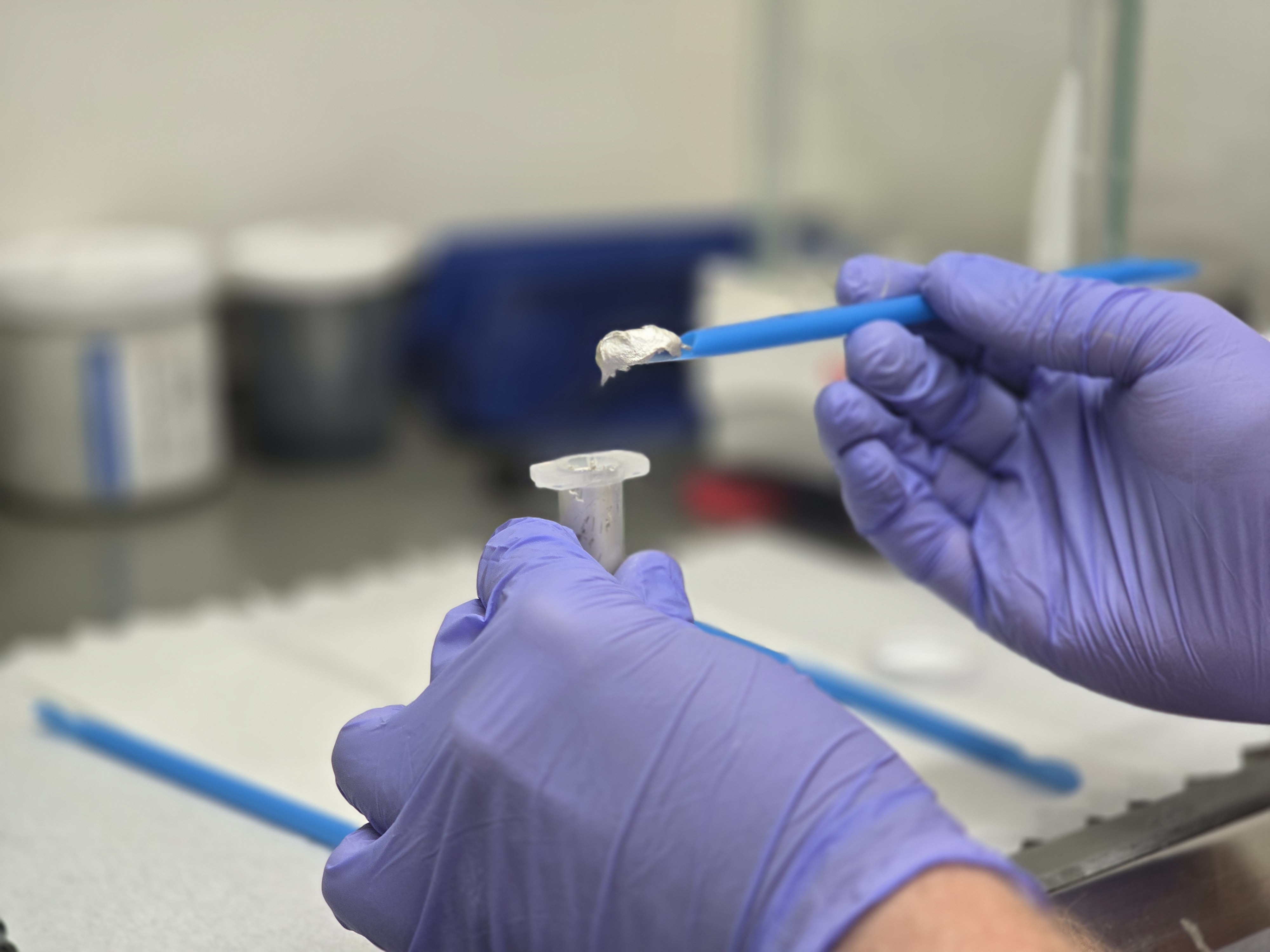
Conductive ink. The conductive ink is a shear-thinning, yield-stress paste made with pure silver powder, which we mixed ourselves. It only lasted about a day before hardening, so we only made it when we were confident the components were lining up correctly. Because the syringe was driven pneumatically, small changes in the ink’s viscosity from batch to batch meant it would under- or over-extrude, even at the same pressure. Cutting off the end of the syringe tip to slightly enlarge the opening gave us much more consistent extrusion.
Placing conductive silver ink into syringe.
An unexplained drop. One day, the arm moved a few millimeters lower than usual and damaged the suction tip on the second syringe. We were able to replace the tip, but we never found the cause. The code hadn’t changed, the pneumatic vise holding the circuit hadn’t moved, the syringe hadn’t shifted in the robot’s gripper, and the UR5 recalibrates itself at the start of every run anyway. To protect the tip and the components, we changed the code so the arm offsets itself 2 to 3 mm upward after calibration.
Results
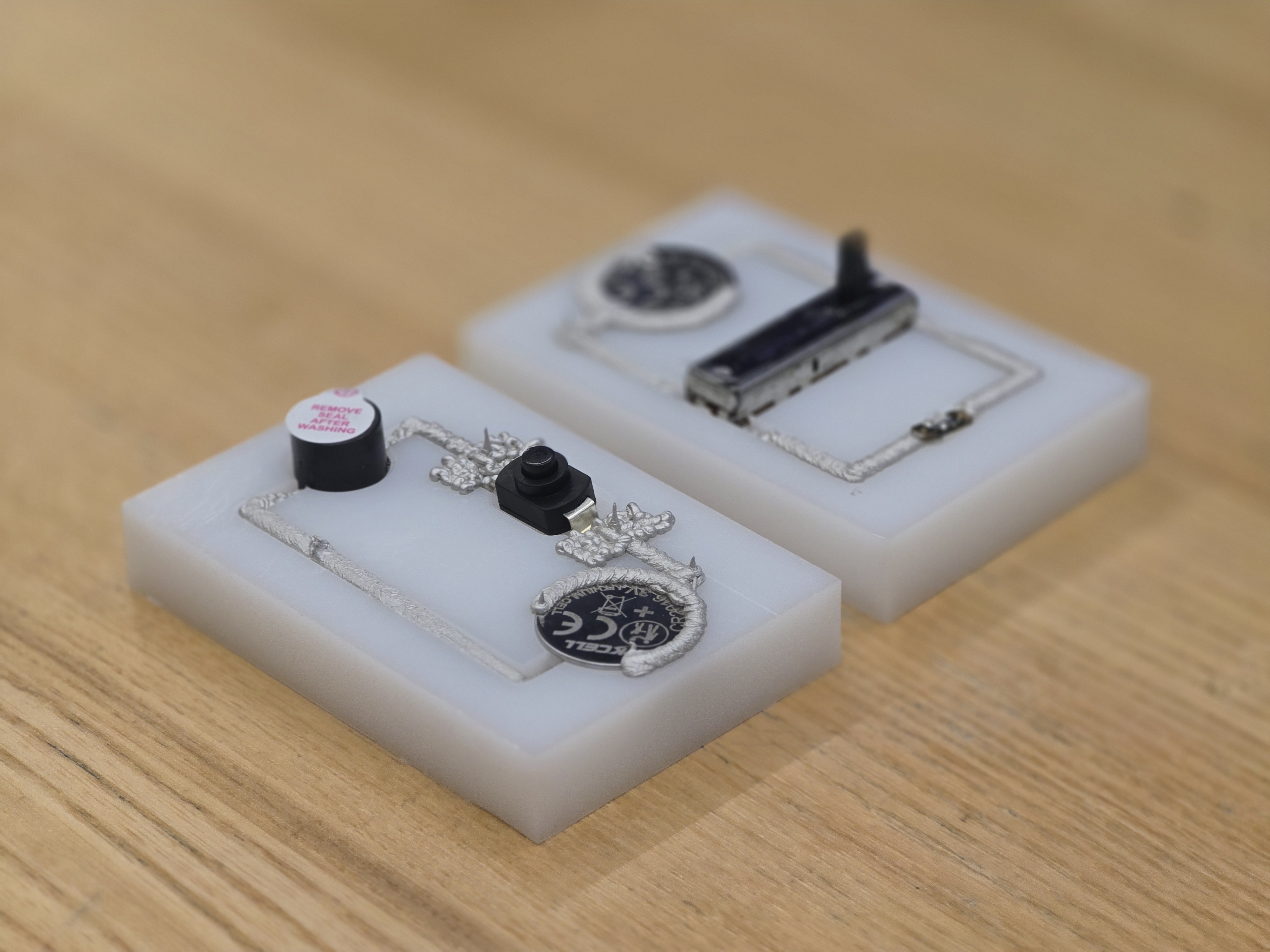
Once we solved the problems with the ink, calibration, extrusion, code, and suction tip, we were able to design a circuit in the GUI using our new components, generate the CAD and CAM automatically in Fusion, and run a fully automated production and assembly line that milled and direct ink wrote custom circuits. Our added components also expand what the ADML can build, giving future classes and groups more options for producing their own custom circuits.
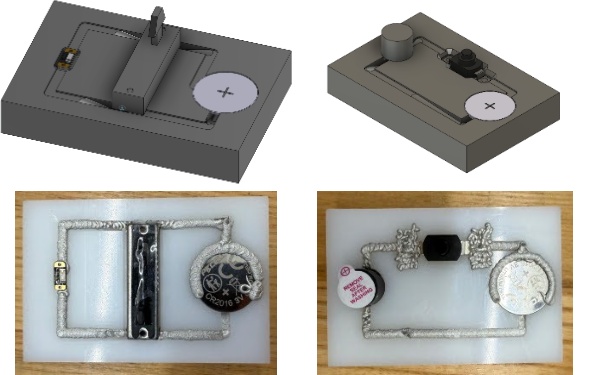
The finished, fully automated printed circuits with their CAD models.
January 2026 - May 2026
Advanced Manufacturing - ME500
Rotary Vane Pump
Building a rotary vane pump to tighter-than-drawing tolerances, then redesigning it to pump liquid ammonia.
Overview
Manufacturing Processes for Design and Production is a BU course built around the rotary vane pump. It teaches how a product’s function, materials, and manufacturing methods all shape its cost, quality, and schedule, covering material selection, GD&T, metrology, design for manufacturing and assembly, and production costing. The course has two halves: first, every student builds a pre-designed pump from scratch; then, teams redesign that pump for a specific fluid and application. This project is still in progress, so this page covers what I’ve built so far.
Building the Pump
The build uses a range of processes, including sand casting, CNC and manual milling, turning, drilling and tapping, and laser cutting. We started by sand casting the bearing holders, then turned the steel shaft that drives the pump. Since I came into the course with more machining experience than most students, I challenged myself to hold my parts to ±0.001” where the drawings only called for ±0.005”.
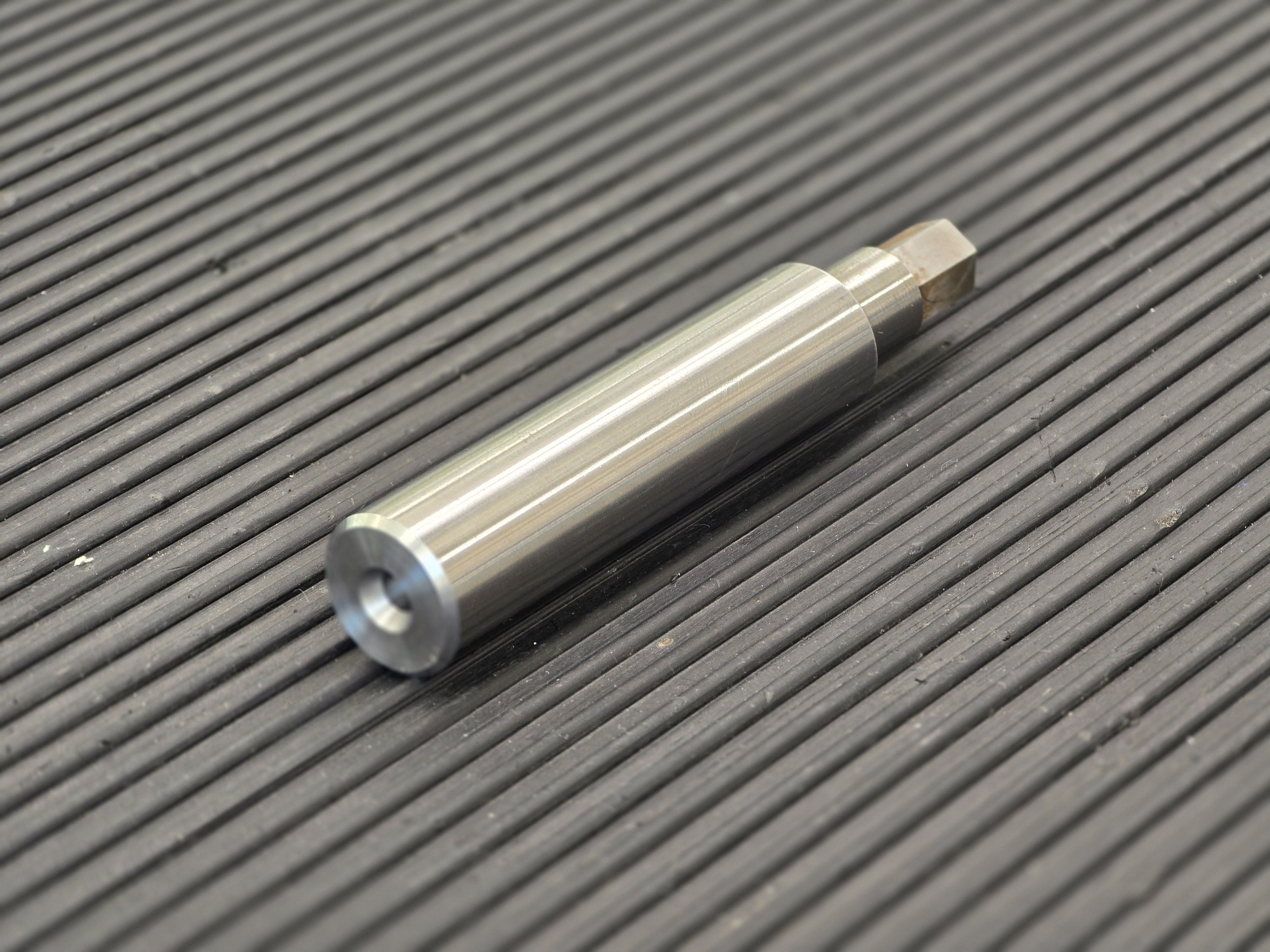
The turned steel shaft, held to ±0.001".
Next came the pump housing. The overall shape was precut, so we sized the center bore that forms the pump’s internal chamber on the lathe (I used a CNC lathe), then drilled and tapped the inlet and outlet ports with 1/4” NPT threads.
The pump housing with its bored chamber and 1/4" NPT ports.
The Rotor Bore
Then we started on the rotor, which holds the pump’s vanes. So far, I’ve drilled the center hole and turned the rotor to thickness; the outer diameter and the vane slots are still to come.
The center hole had the tightest tolerance in the build: 0.7480” +0.0005/−0.0000. Most students drilled close to size and finished with a reamer from the tailstock. I didn’t trust that approach, because the lathes’ tailstocks aren’t aligned with the spindle’s axis of rotation, so a reamer would follow that misalignment. Instead, I bored the hole with a boring bar, which cuts true to the spindle.
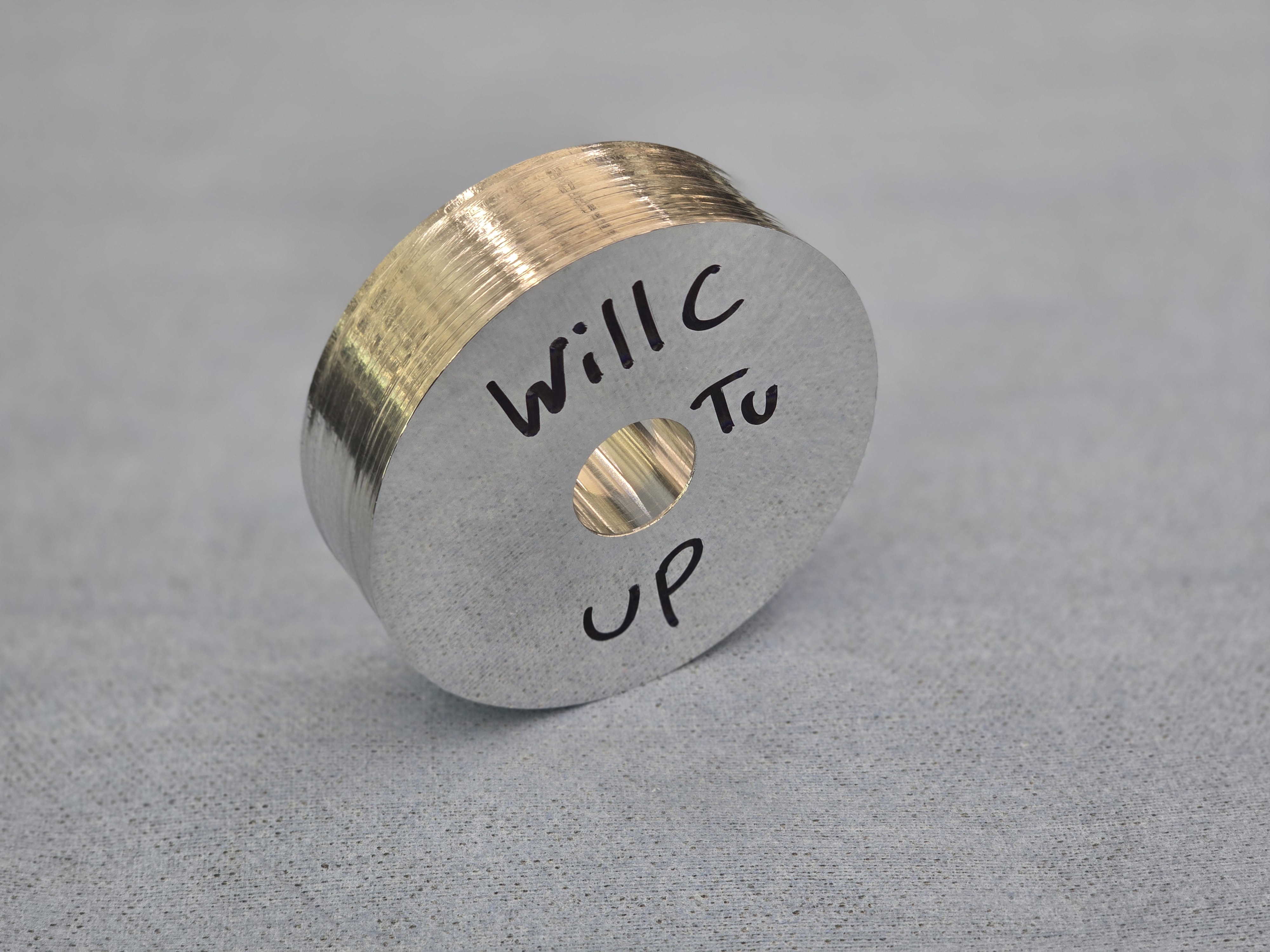
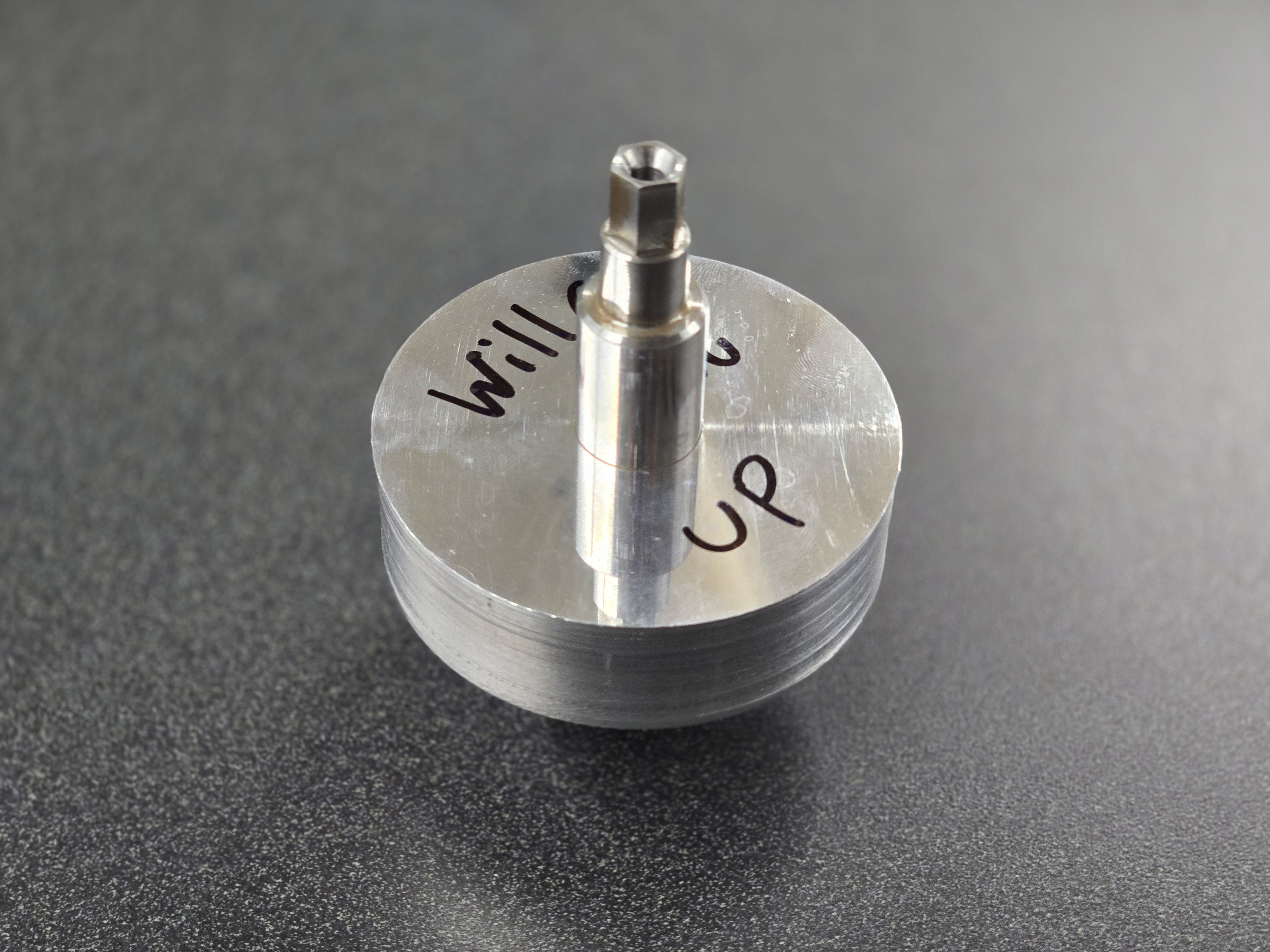
That raised a new problem: there was no way to measure a hole to that tolerance. The best tool available was calipers, which are only good to about ±0.001”. Outer diameters, though, can be measured precisely with micrometers, so I machined my own stepped plug gauge out of aluminum. One step measured 0.74805” and the other 0.7481”. If the smaller step slid into the bore but the larger one didn’t, the hole had to be between 0.74805” and 0.7481”, safely inside the 0.7480–0.7485” tolerance.
The rotor with its bored center hole.
The tolerance mattered because the 0.750” shaft is shrink fit into this bore, so a hole that was too large would leave the rotor loose, and one too small wouldn’t go together. With my bored hole, the shaft fit.
The rotor shrink fit onto the shaft.
Redesigning for Liquid Ammonia
The pump we’re all building is intentionally poorly designed, and the second half of the course is about doing better. Each team of three is assigned a fluid and application and has to redesign the pump around it, considering temperature, inlet and outlet pressure, speed, required lifespan, where it’s installed, yearly production volume, and the fluid itself, which can be highly corrosive.
My team is designing a pump for liquid ammonia, with these requirements:
Temperature: −50°F
Inlet pressure: 1 atm
Outlet pressure: 8 atm
Speed: 3,600 RPM
Mean time between failures: 4,500 hours of continuous operation
Installation: Manufacturing facility
Production volume: 250 units per year
Next Steps
We’ve just started the redesign. By the end of the course, we’ll produce fully dimensioned drawings with GD&T for every component, plus assembly drawings, all detailed enough to send to a real manufacturer. (The redesigned pumps won’t be built in the course.) I’ll keep updating this page as the build and redesign progress.
September 2026 - Present
Manufacturing Processes for Design and Production - ME559
Thermal Expansion of a Rotary Vane Pump
A COMSOL simulation of how a pump housing grows when pumping 140°F glue.
Overview
Simulation of Physical Processes (ME526) covered numerical methods for solving nonlinear partial differential equations and the fundamentals of the finite element method, using MATLAB and COMSOL Multiphysics to model problems across structural mechanics, materials science, aerospace, and physics. The course ended with a project where teams of three chose something to simulate.
At the time, one of my teammates, Jos, was also taking ME559, where his team was designing a rotary vane pump to move heated PVA glue at 140°F in a factory. A pump housing that grows from heat could change the fit between the housing and the rotor and vanes, so we simulated how much the professor’s gray iron housing would expand going from room temperature (70°F) to the 140°F operating temperature.
My Role
I built the model’s geometry, set up the constraints and boundary conditions, and ran the simulations, working alongside Jos on one computer while we learned COMSOL together. I also helped write the step-by-step instructions in our report for recreating the simulation.
Model Setup
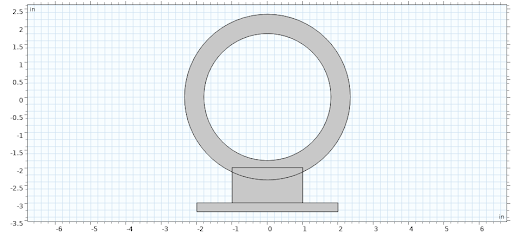
Because the professor’s housing has a simple profile, a 2D model was enough for this estimate. The geometry is a ring with a 3.6” inner diameter and 4.7” outer diameter, sitting on a rectangular base.
Physics: Heat Transfer in Solids coupled with Solid Mechanics, solved as a stationary (steady-state) study.
Material: Gray iron, modeled with COMSOL’s built-in cast iron and adjusted by hand to match published data for ASTM A48 Class 40 gray iron (thermal expansion coefficient 11 × 10⁻⁶ 1/K, Young’s modulus 140 GPa, Poisson’s ratio 0.25).
Structural boundary: The bottom of the base is fixed, like a pump bolted down in a factory. Every other edge is free to move.
Thermal boundaries: The inner bore is held at the glue’s 140°F. The outer surfaces are insulated, since the pump sits in still air and loses very little heat to its surroundings. This makes the result a worst case, where the whole housing reaches the glue’s temperature.
Mesh: Extra fine.
The simplified 2D geometry of the housing and base.
Results
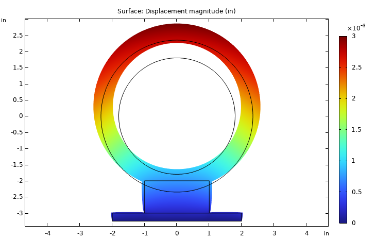
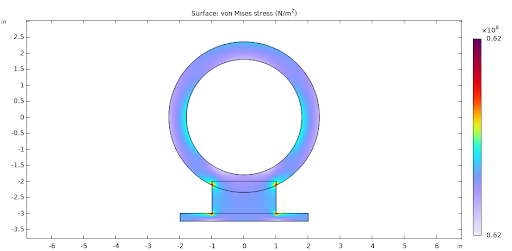
With the outer surfaces insulated, the housing settles at a uniform 140°F. Because the base is fixed, the housing can only grow upward and outward, so the largest displacement, about 0.003”, is at the top of the ring, farthest from the base. The highest stresses are at the corners of the base, away from the parts of the housing that matter for the pump’s operation.
Displacement from thermal expansion, greatest at the top of the housing, farthest from the fixed base (deformation exaggerated).
Checking the Simulation by Hand
To make sure the results were reasonable, we compared them with linear thermal expansion calculated by hand, Dnew = D × (1 + α × ΔT), using ΔT = 70°F and α = 6.11 × 10⁻⁶ 1/°F (the same 11 × 10⁻⁶ 1/K used in the simulation):
Inner diameter: 3.6 × (1 + 6.11 × 10⁻⁶ × 70) = 3.60154”, an increase of about 0.0015”.
Outer diameter: 4.7 × (1 + 6.11 × 10⁻⁶ × 70) = 4.70201”, an increase of about 0.0020”.
Since the base is fixed, the bottom of the ring can’t move, so the top moves by the full change in diameter rather than the change in radius. That’s why we compared the simulation against the change in diameter, and the two gave similar values.
Challenges
Units: COMSOL read our temperatures in °F as kelvin, even when the units were written into the parameters. Entering 140°F that way produced compression instead of expansion and results that were off by orders of magnitude. Converting every temperature to kelvin fixed it.
Solver tolerance: COMSOL’s default relative tolerance didn’t work with our mesh size, so we had to either set the mesh size manually, finer than COMSOL’s built-in options, or adjust the solver’s relative tolerance.
How much to simplify: We first considered a 3D model and spent time deciding how much we could simplify the geometry while still getting a useful answer. The 2D model turned out to be enough.
Conclusion
The housing’s bore grows by only about 0.0015” at 140°F. In a rotary vane pump, the vanes slide outward from centrifugal force as the rotor spins, so they stay in contact with the housing wall and take up that small change on their own. Thermal expansion of the housing isn’t significant enough to account for in this pump’s design.
The same approach applies to other parts that run hot, such as pumps for other fluids, turbine and turbocharger housings, and rotary (Wankel) engines. I’m now building this same pump design in ME559 (see the Rotary Vane Pump project).
Want to see the full report, including step-by-step modeling instructions? Read it here.
September 2025 - December 2025
Simulation of Physical Processes - ME526
About Me
I am a Masters Mechanical Engineering student at BU, graduating in December 2026. I started engineering through LEAP at BU, allowing me to become an engineer after completing my undergraduate degree in Operations & Information Management. What draws me to engineering is my need to figure out how things work and to interact with complex systems. This started with my love of cars, and evolved as my interests grew toward aerospace, energy systems, and many other things at the cutting edge. I am excited to continue learning new things, meeting new people, and begin my career in a place that challenges me.
Contact
I'd love to hear from you. Reach out by email or connect with me on LinkedIn.